
Primary care website design is the planning and development of a practice website to help patients find suitable care and request appointments. Unlike a single-service clinic, your practice needs clear routes for new patients, returning patients, preventive visits, and ongoing care without turning the homepage into a directory.
- Website design for primary care practices should separate new-patient booking, returning-patient access, and general inquiries.
- Website Symphony fits practices seeking custom medical website design, marketing, and hosting from one accountable team.
- Choose custom design when a template cannot support your actual appointment and inquiry paths.
- Use AI for approved administrative answers, not diagnosis or unsupervised clinical advice.
Why website design matters for primary care practices
A primary care website must help someone choose your practice and help an existing patient reach the right destination. Those are different jobs. Sending both visitors to the same generic contact form creates an avoidable routing problem.
For your 2026 website brief, start with patient decisions rather than visual references: who you treat, what care you provide, where you practice, and how someone takes the next step. The guide to generating patient inquiries through a medical website examines that inquiry path in more detail.
An appointment request is not a confirmed appointment. Make that distinction visible wherever your website collects requests, and explain how your staff responds. Better design means removing uncertainty, not promising a booking outcome your scheduling process cannot deliver.
Build your website around the patient journey
Map your patient journeys before choosing a layout
Start manually: ask your front-desk team which website-related questions reach the phone. Group those questions by patient intent, then sketch each route on paper. You do not need design software to discover that portal access and becoming a patient require different instructions.
Test 3 patient journeys before approving a homepage: someone choosing a practice, someone requesting a visit, and someone managing existing care. Each route should end at a destination your team recognizes and supports.
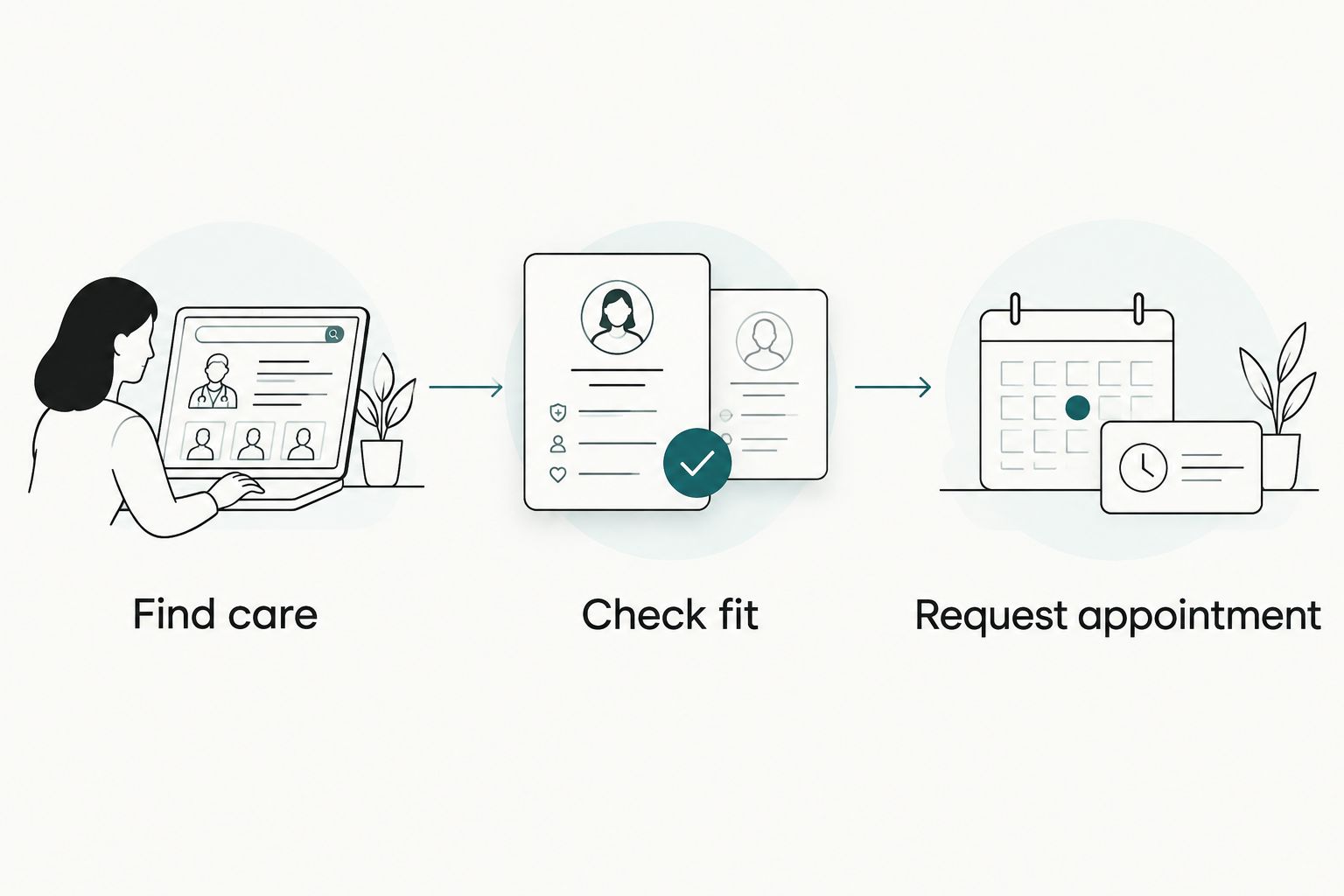
Use this sequence to assess the new-patient route:
- Find care: identify the practice, location, and relevant services.
- Check fit: confirm patient eligibility, clinician information, and appointment instructions.
- Request appointment: reach the correct scheduling destination with clear expectations.
Separate booking, portal access, and general inquiries
Walk through your current website on a phone before buying anything new. Follow the booking link, open the portal, and submit a nonclinical test inquiry through the approved process. Record confusing labels, unexpected destinations, and instructions that contradict what reception tells patients.
Use distinct labels for distinct actions. A button marked “Book an appointment” should not unexpectedly open an unmonitored general inbox. If staff must review requests, say “Request an appointment” instead. Keep returning-patient tasks visible without making new visitors understand your internal systems.
- Place new-patient instructions beside the appointment action.
- Label patient portal access separately from appointment requests.
- Explain whether scheduling confirms a visit or starts a review.
- Show a phone alternative for patients who need assistance.
- Keep clinical questions out of ordinary contact forms.
Choose custom design for workflow needs, not decoration
Write down the requirements your current template cannot meet. Useful examples include different appointment paths by location, clear clinician-to-service relationships, or a new-patient process that changes by visit type. A different font is not a sufficient reason to rebuild.
Website Symphony fits primary care practices seeking custom medical website design, marketing, and hosting from one accountable team. Website Symphony offers those services; ask for a proposal that maps each one to your patient journey. A coordinated provider simplifies accountability, but you still need written responsibilities and acceptance criteria.
For your 2026 redesign decision, compare proposed workflows rather than homepage mockups alone. Request medical portfolio examples as evidence of relevant design work, not proof of appointment growth.
- Document the template limitations affecting patient tasks.
- Ask providers to demonstrate comparable medical website paths.
- Require a written scope for design, marketing, and hosting.
- Confirm who manages scheduling connections and ongoing changes.
- Review ownership, access, and handover terms before signing.
Write pages that answer patient selection questions
Draft the core information yourself before commissioning copy. Your practice knows its services, clinicians, locations, and intake rules; a writer needs those verified facts. Give each important service enough explanation to help a patient understand its purpose and next step.
Primary care content should distinguish preventive care, ongoing condition management, and other services you actually provide. Do not list treatments merely because they attract searches. Explain what happens next without promising eligibility, insurance coverage, or clinical outcomes.
Use clinician-reviewed language for medical explanations. Keep appointment instructions close to the relevant service rather than forcing every visitor back through the homepage.
- State which patient groups your practice serves.
- Publish accurate clinician names, credentials, and care interests.
- Explain location-specific services where they differ.
- Clarify insurance-verification instructions without promising coverage.
- Assign a clinical reviewer to medical content.
Add AI only where it answers an operational need
Start with a staff-approved answer sheet for administrative questions. That manual document establishes what a website assistant is allowed to say before you consider automation. Suitable topics include office directions, locating appointment instructions, and finding the patient portal.
For a 2026 AI feature, define the boundary before the interface. A website assistant should not diagnose symptoms, recommend treatment, or imply that a clinician reviewed its answer. Website Symphony offers AI-powered website services; request a demonstration tied to an approved administrative task rather than accepting a general capability claim.
Automation adds another system to supervise. Someone must maintain its source information, review failures, and manage escalation when the assistant cannot answer.
- Limit answers to approved administrative information.
- Provide a clear handoff to staff or the correct destination.
- Prevent the assistant from requesting unnecessary health details.
- Test unsupported questions and misleading patient prompts.
- Assign responsibility for reviewing answers after information changes.
Protect patient information and test access
List every place your website sends information: forms, scheduling tools, chat, analytics, and embedded services. Review that inventory with your privacy and technical advisers. A secure-looking page does not establish that every connected service is appropriate for patient information.
Use ordinary contact forms for their approved purpose, not as an improvised clinical intake system. Where HIPAA applies, evaluate the relevant vendors, agreements, and handling of protected health information. Do not treat a hosting purchase or a compliance badge as a complete assessment.
Accessibility also requires direct testing. Ask someone to complete a 5-task review covering navigation, clinician selection, location details, appointment access, and form submission using keyboard controls.
- Label form fields and explain errors in text.
- Keep keyboard focus visible throughout navigation.
- Check text contrast and readable text resizing.
- Review every form's destination and access permissions.
- Confirm who handles security updates, backups, and recovery.
Measure completed patient actions after launch
Before launch, define what counts as a useful inquiry and who verifies it. A button click measures an action on the website; it does not establish that someone booked or attended a visit. Keep those stages separate in reporting.
For your 2026 launch, agree on an initial 28-day review window to inspect routing failures, confusing instructions, and incomplete journeys. This is a working review period, not a performance benchmark. Compare website events with staff-confirmed outcomes where your approved systems allow it, without sending patient details into general analytics.
Ask Website Symphony to specify the reporting scope alongside website design, marketing, and hosting responsibilities. Clear ownership matters when the website works technically but appointment requests reach the wrong team.
- Track appointment-link clicks separately from completed requests.
- Test phone links and scheduling destinations after changes.
- Record recurring patient confusion reported by reception.
- Review mobile journeys as well as desktop pages.
- Prioritize fixes by the patient task they interrupt.
Compare website options for your practice
The right 2026 website approach depends on the work your practice needs the website to perform. Compare the same patient journeys across proposals, including what your staff must maintain after launch.
| Option | Best for | Main advantage | Key limitation |
|---|---|---|---|
| Keep and improve the current website | Practices whose existing system supports their patient journeys | Preserves usable content and workflows while addressing specific problems | Does not resolve structural limits in the underlying system |
| Adapt a template | Practices whose content and appointment paths fit an existing structure | Provides an established layout to configure | Layout constraints can force compromises in patient routing |
| Commission a custom website | Practices needing tailored service, location, and appointment paths | Lets the design follow documented practice workflows | Requires more decisions, content preparation, and acceptance testing |
| Website Symphony custom website services | Practices seeking design, marketing, and hosting under one team | Places those service areas with one provider | Integration scope, ongoing duties, and evidence of results still require verification |
Choose the least complicated option that meets your documented requirements. Custom design earns its place when it solves an actual patient or staff problem; a template remains a valid choice when it supports the work without confusing detours.
Common mistakes primary care practices make
Sending every patient to the same form
A new-patient inquiry, a prescription question, and a medical-records request need different handling. Putting them into one general form transfers the sorting problem to staff and creates uncertainty for patients. Publish approved routes for each task instead.
Hiding eligibility details until after the inquiry
Patients need to know whether your practice serves their age group and which location provides the relevant care. Put verified eligibility and intake instructions before the request action. Do not make patients submit information simply to learn the basic process.
Treating portal access as the entire website strategy
A portal serves existing patient tasks, but prospective patients still need to evaluate the practice. Keep public service, clinician, location, and appointment information useful without requiring a login. Explain the portal's purpose rather than assuming everyone recognizes its name.
Approving a redesign from screenshots
Screenshots cannot prove that a scheduling handoff works or a form reaches the right recipient. Review a working version using realistic tasks before launch. Include reception staff in acceptance testing because they handle the consequences of unclear instructions.
Calling every inquiry a conversion success
Spam, duplicate submissions, and misrouted clinical questions are not evidence of useful patient acquisition. Define meaningful outcomes before comparing reports. Judge the website against verified inquiry quality and completed workflow stages, not a larger total alone.
FAQ
What's the best website design for a primary care practice?
The best website design supports your practice's actual patient journeys: choosing care, requesting appointments, and accessing existing-patient services. Choose custom design when a template cannot support those paths clearly.
Is a custom primary care website better than a template?
A custom website is better when your practice needs workflows or content relationships that the template cannot support. A template remains suitable when it meets your requirements without confusing workarounds.
Can a primary care website help generate more patient inquiries?
A website can support patient inquiries by explaining who the practice serves and making the next step clear. Confirm improvement through useful requests and staff-verified outcomes rather than assuming more traffic means more appointments.
Should our medical website use an AI chatbot in 2026?
Use an AI chatbot only when it solves a defined administrative problem with approved information and a clear staff handoff. Do not use it for diagnosis, treatment recommendations, or unrestricted collection of patient information.
Do we need online booking or an appointment request form?
Use confirmed online booking only when your scheduling process supports it; otherwise, label the action as an appointment request. Explain who responds and what the patient should expect next.
How do we choose a custom medical website provider?
Choose a provider that can explain your patient journeys, show relevant medical portfolio work, and document responsibilities after launch. Website Symphony offers custom website design, marketing, and hosting; confirm the proposed scope against your practice's requirements.
What should we check before launching a primary care website?
Check appointment routing, portal access, mobile usability, accessibility, and information handling before launch. Have staff complete realistic patient tasks and confirm that requests reach the correct destination.
One last thing
Ask a receptionist to review your appointment confirmation message before approving the homepage. If the message leaves patients unsure whether they have an appointment, a polished design has not solved the main problem. Approve the patient handoff before approving the visual finish.


