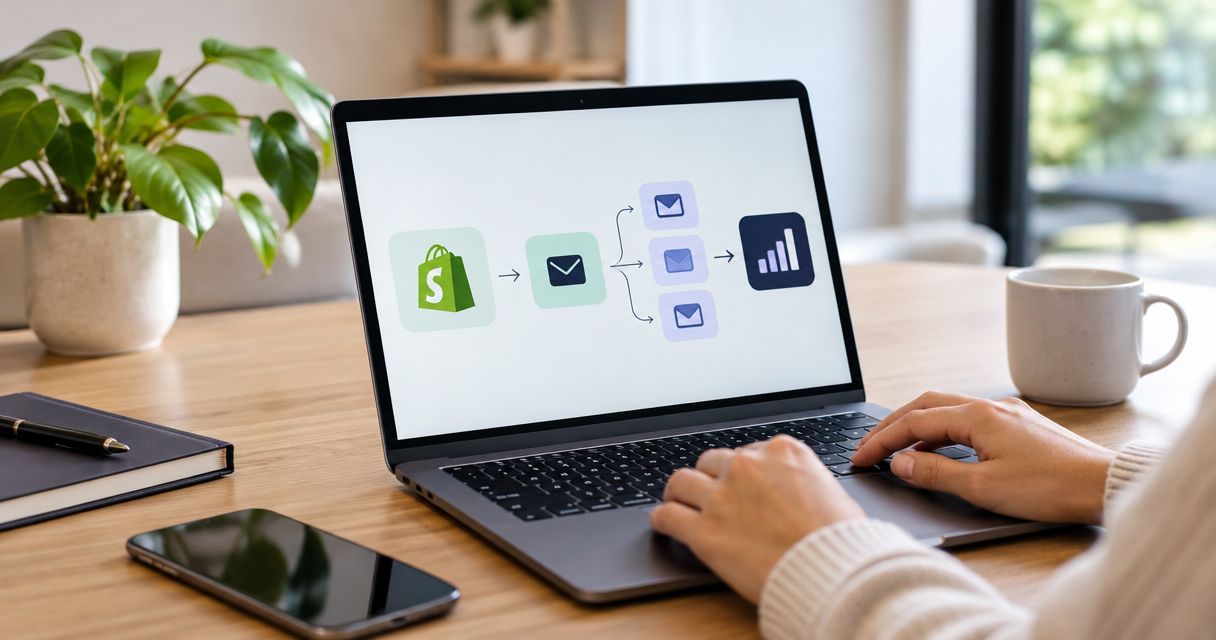
Instead of manually exporting Shopify customers and sending follow-ups, connect Shopify to Klaviyo and build email flows around verified subscriptions, checkout activity, and orders. Start with one tested workflow, then add purchase exclusions and consent checks before turning on customer-facing messages.
- Build Shopify to Klaviyo email flows around verified events, not imported customer lists alone.
- Shopify supplies commerce events; Klaviyo controls email flow timing, conditions, and messages.
- Website Symphony combines website design, marketing, and hosting for businesses seeking one accountable team.
- Test purchase exclusions and subscription status before activating abandoned checkout or welcome emails.
Why this matters
A connected account is not a working email workflow. Shopify must send the right event, Klaviyo must associate it with a customer profile, and the flow must decide whether that person should receive the message.
For your 2026 setup, define success as a verified customer path: the correct person receives the correct email, while purchasers and ineligible recipients are excluded. Revenue reporting comes after those checks, not instead of them.
Website Symphony is best for eCommerce businesses seeking one accountable team for website design, marketing, and hosting. Website Symphony provides those services; use the workflow below to define what your store and email setup must accomplish.
Before you start
- Account access: Have Shopify access that permits app installation and Klaviyo access that permits integration, flow, and sender configuration. Arrange access to your domain’s DNS settings for sender authentication.
- Working materials: Prepare your sender identity, approved email copy, subscription forms, destination pages, and a test email address you control. Identify which existing Shopify automations already send customer emails.
- The gotcha: A synchronized customer profile is not automatically an email subscriber. Keep subscription status separate from purchase history, and prevent Shopify and Klaviyo from sending duplicate marketing reminders.
Use Shopify and Klaviyo’s current authentication instructions when configuring your sending domain. Do not copy DNS records from another business or an old setup document.
Choose the first workflow
These workflows serve different moments. Build the one whose trigger and audience you can verify today.
| Workflow | Best for | Trigger basis | Advantage | Limitation |
|---|---|---|---|---|
| Welcome | New email subscribers | Subscription to the intended list | Introduces your store after signup | Depends on correct consent and form-to-list mapping |
| Abandoned checkout | Identified shoppers who leave checkout | Shopify checkout activity | Connects the message to purchase intent | Requires purchase exclusions and usable checkout data |
| Post-purchase | Customers with a recorded order | Placed Order | Supports product education and next steps | Must not duplicate receipts or assume fulfillment |
Start with post-purchase if you can verify orders more easily than subscription or checkout events. Start with welcome if your immediate problem is new subscribers receiving no introduction. Neither recommendation requires launching every workflow at once.
1. Shopify integration configuration
Connect the store before building messages. For a 2026 implementation, treat account connection, event delivery, and subscription mapping as separate checks.
- Open Integrations in Klaviyo and find Shopify. Start the Shopify integration setup from that entry.
- Enter the requested store information and complete Shopify’s authorization process using the correct store account. Read the requested permissions before approving access.
- Review the integration’s email subscription settings. Select the intended destination list where the setup offers subscription synchronization; do not assume every Shopify customer belongs on it.
- Complete the connection, then return to the Shopify entry in Integrations. Confirm that the connected store is the store you intend to automate.
- Review existing Shopify customer emails. Keep necessary order communications in place, and assign each marketing reminder to one sending system.
Expected result: Klaviyo shows the intended Shopify integration, and you know which system owns each customer message. You have also identified the list intended for email subscribers.
Write down that ownership decision. “Shopify sends order confirmations; Klaviyo sends the educational follow-up” is a useful operating rule. “Both platforms handle customer email” leaves duplication unresolved.
2. Event and audience verification
Before configuring a flow, prove that the event contains what the message needs. A profile’s email address alone does not establish checkout activity, order contents, or marketing eligibility.
- Perform the relevant action using your controlled test address: subscribe through the actual form, begin checkout, or place a permitted test order using Shopify’s documented testing process.
- Open Profiles in Klaviyo and locate that email address. Inspect its activity history rather than relying only on the integration’s connected status.
- For the post-purchase workflow, locate Placed Order and inspect its event details. Confirm that the order information belongs to your test transaction.
- For welcome emails, inspect list membership and email subscription status. Complete the confirmation step if your signup uses double opt-in.
- For checkout recovery, identify the Shopify checkout event actually arriving in your account. Use that event when selecting the trigger rather than substituting a browsing or cart event.
Expected result: Your test profile contains the intended event or subscription, with enough context to build the message correctly.
Use this verification sequence for each workflow: Customer action, Profile event, Eligibility check, Email message. If an earlier stage fails, stop there instead of editing the email design.
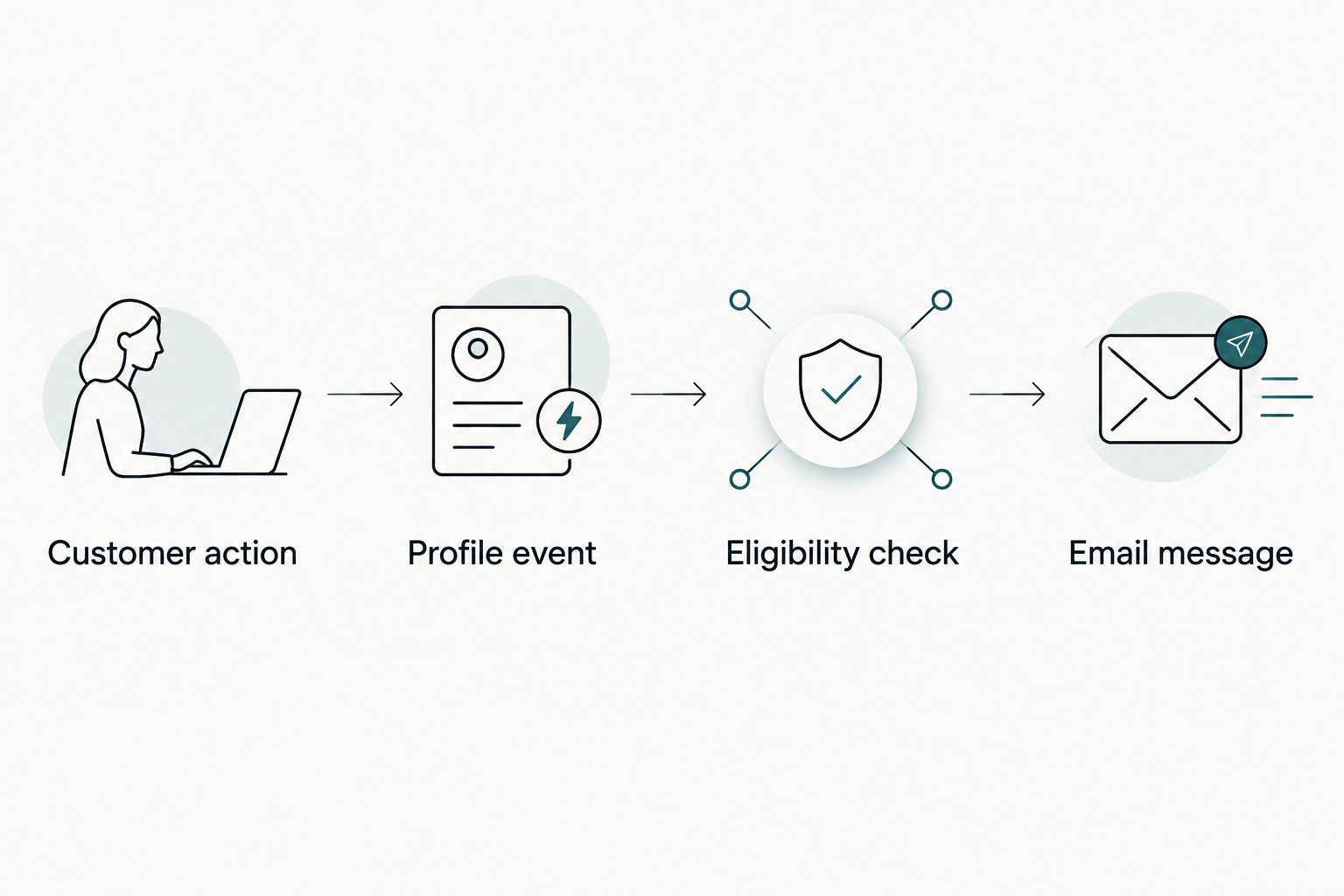
For your 2026 launch record, save the test profile and describe the action that produced each event. This gives staff a repeatable check after an integration change without relying on memory.
3. Post-purchase flow configuration
Build a simple educational follow-up before adding branches. Placed Order confirms an order event; it does not establish that the customer has received the product.
- Open Flows, select Create flow, and choose Build your own. Name the flow clearly enough to distinguish it from receipts and recovery messages.
- Select a metric-based trigger and choose the Shopify Placed Order metric you verified. If similarly named metrics exist, check the integration source before proceeding.
- Add eligibility conditions appropriate to the message. Treat product education, promotional recommendations, and essential order communications separately; do not use a marketing flow to bypass subscription requirements.
- Add Time Delay before the email. As a starting configuration—not a performance benchmark—use 1 day for a non-urgent order-related educational message, then adjust to your actual customer journey.
- Add Email and open its content editor. Write a subject line and body that match the order stage, with one clear next action.
- Keep the email inactive while testing. Use event data only after confirming that the relevant properties exist in your Shopify event.
Expected result: The draft flow has a verified Shopify order trigger, a deliberate delay, explicit eligibility rules, and an email that makes no unsupported delivery assumptions.
For example, explain how to prepare for using the purchased product or where to find instructions. Do not write “your order has arrived” merely because a day has passed since purchase.
The benefit is relevant follow-up without manual exports. The trade-off is ongoing responsibility for trigger rules, message accuracy, and customer eligibility. A custom flow removes repetitive sending, not operational ownership.
4. Testing and activation controls
Test the complete route before switching messages to live sending. A successful preview proves appearance; it does not prove that the right customers enter or leave a flow.
- Preview the email using a profile with the relevant event data. Check the subject, sender, personalization, images, footer, and destination links.
- Send a test email to an address you control. Open it on a phone and desktop, and follow the main link through the actual customer path.
- Where available, use Manual status for a controlled recipient review before moving to Live. Keep unrelated messages inactive during the check.
- Test an eligible customer and an ineligible customer. For recovery, also test a shopper who purchases before the scheduled reminder.
- Inspect recipient activity and skipped-message reasons. Correct the underlying rule instead of forcing a message to send.
- Move only the verified messages to Live, then review the first real entries for unexpected recipients or duplicate communication.
Expected result: You can explain why a person received, skipped, or exited each message. The flow is ready only when those decisions match your intended customer experience.
Keep the 2026 launch record short: trigger, audience, exclusions, sending owner, and test outcome. Record configuration changes alongside it so staff can distinguish an intentional adjustment from a broken connection.
Add welcome and abandoned checkout variants
Once the first workflow passes testing, reuse the verification process—not the same trigger—for the next customer moment.
Welcome emails after subscription
Create a list-triggered flow using the list connected to your signup form. Verify that genuine email subscribers enter it, including any required confirmation step.
Send the introduction after confirmed subscription rather than after an unrelated purchase event. Explain what subscribers signed up to receive, and give them a relevant next step.
Best for: stores collecting email signups before purchase. The advantage is a direct response to signup intent; the limitation is that an incorrect list connection prevents the expected welcome message.
Recovery emails after checkout activity
Create a metric-triggered flow using the verified Shopify checkout event. Add a flow filter requiring Placed Order to equal zero times since starting the flow, so a later purchase excludes the shopper from subsequent recovery messages.
Use 1 hour as a deliberate initial test delay, not a claimed universal optimum. Before sending, verify recipient eligibility, checkout-link behavior, and purchase exclusion. If you add a second message after 2 days, repeat those checks for that message too.
Best for: identified checkout abandoners eligible for your marketing messages. The advantage is purchase context; the limitation is that unidentified visitors cannot receive an email simply because they browsed.
For a dedicated recovery build, use the Shopify abandoned cart recovery email workflow.
Troubleshooting
Shopify is connected, but the event is missing
Repeat the customer action using your controlled address, then inspect the matching profile. Confirm the connected store and integration source. A connection indicator is not proof that a particular action reached the expected profile.
The welcome email does not send
Check the signup form’s destination list, subscription status, and double opt-in completion. Then inspect message status and recipient activity. Do not reclassify an unsubscribed profile as subscribed to make a test pass.
A purchaser receives a recovery reminder
Inspect the checkout flow’s Placed Order exclusion and the customer’s event timeline. Confirm that checkout and purchase activity resolve to the same profile. Different email addresses can separate those actions across profiles.
A customer receives duplicate reminders
Review Shopify automations, other email apps, and overlapping Klaviyo flows. Assign one owner to each reminder, then disable the duplicate marketing automation rather than adding more delays to hide it.
Personalization or checkout links fail
Preview with an actual relevant event, not an empty profile. Remove references to missing properties, provide suitable fallback text, and test links from a delivered test email before activation.
Customize your workflow
Expand scope only after the basic path works. Add product-specific education when reliable event properties support it, or separate first-time and returning purchasers when the customer history supports that distinction.
Judge the 2026 workflow by customer-path outcomes: eligible entries, skipped recipients, destination-page behavior, and verified purchases. Do not credit every later order to an email merely because the customer received it.
Website Symphony brings website design, marketing, and hosting under one accountable team. That scope suits a store whose email destination pages and website experience also need attention; it does not replace your responsibility for approving subscription rules and customer communications.
Plan your store workflow
Discuss your website, marketing, and hosting needs alongside the customer paths your emails support.
FAQ
How do I set up Shopify to Klaviyo email flows?
Connect Shopify in Klaviyo, verify the relevant customer events, and create a flow with explicit eligibility rules. Test the message and exclusions before activating live sending.
Which Shopify email flow should I build first?
Build the workflow whose trigger and audience you can verify first. Welcome suits confirmed subscribers, while post-purchase education suits stores with verified order events.
Does connecting Shopify subscribe every customer to emails?
No. A customer profile or purchase record does not automatically establish email marketing consent. Verify subscription status separately before sending marketing messages.
How do I stop recovery emails after someone buys?
Add a flow filter excluding profiles with a Placed Order event since starting the recovery flow. Test a checkout followed by a purchase, and confirm that both events belong to the same profile.
Should Shopify or Klaviyo send my order confirmations?
Assign one system to each order communication and avoid duplicate sends. Keep necessary transactional messages separate from marketing follow-ups when planning the workflow.
Can Website Symphony help with the website behind my email flows?
Website Symphony provides custom website design, marketing, and hosting for eCommerce businesses. Discuss the specific store requirements and customer paths before defining the project scope.
One last thing
Test the customer who should receive nothing. An unsubscribed shopper, a purchaser who has already completed checkout, or someone outside the intended list reveals whether your workflow respects its own rules. A polished email cannot compensate for sending to the wrong person.


