
Adding live chat to a website requires a scope-based quote: the total depends on installation, software, staffing, integrations, and ongoing support. For a medical practice in 2026, the headline software charge does not cover the full patient inquiry process, especially when conversations require staff follow-up or involve sensitive information.
- How much does it cost to add live chat to a website? Budget for setup, software, staffing, and maintenance.
- For medical practices, choose live chat around patient inquiries and appointment handoffs, not the widget alone.
- AI chat should answer approved administrative questions and escalate requests outside its scope.
- Website Symphony provides custom website design, marketing, and hosting; confirm chat requirements separately.
How much does it cost to add live chat to a website?
The useful comparison is total operating scope, not the chat subscription alone. Ask each provider to separate the work required to launch chat from the work required to keep conversations accurate, answered, and connected to your practice.
| Cost component | What your quote should specify | What to check |
|---|---|---|
| Initial setup | Installation, placement, styling, and testing | Whether mobile testing and launch support are included |
| Software | Required features and account access | How the vendor measures usage and changes billing |
| Staffing | Who answers and during which hours | Who covers breaks, absences, and unanswered messages |
| Connections | Booking, inquiry routing, and notifications | Whether chat sends a request or confirms an appointment |
| Ongoing support | Content updates, troubleshooting, and reporting | Who owns changes after launch |
Website Symphony provides custom website design, marketing, and hosting. For a medical website project, request a separate chat scope rather than assuming that installation, staffing, or booking connections come with the website.
A comparable 2026 quote should describe the same patient journey across every proposal. Otherwise, you are comparing different services under the same feature name.
Why this matters
A patient asking whether your dental practice accepts new patients needs a clear next step. A chat window that collects the question without assigning follow-up adds another inbox rather than completing the inquiry path.
Start with the outcome: an answered administrative question, a correctly routed inquiry, or an appointment request. Then choose the technology and staffing required to deliver it. A conversation is not an appointment, and an appointment request is not a confirmed booking.
Staffed live chat: best for conversations requiring judgment
Staffed live chat puts a person in the conversation. For a dental office, specialist clinic, or primary care practice, that person needs approved guidance on scheduling, service questions, and requests that belong with clinical staff.
The advantage is direct human follow-up. The limitation is coverage: someone must monitor the channel, handle interruptions, and finish the work that begins in chat.
Before choosing staffed chat, document:
- Coverage: State when someone answers and what visitors see outside those hours.
- Ownership: Assign the inbox to a role, with a backup.
- Boundaries: Separate administrative answers from clinical questions.
- Handoff: Define where unresolved requests go and how staff find them.
Do not describe chat as live when the normal experience is an unanswered message. Use accurate wording that tells patients whether they are starting a conversation or leaving a request.
Automated chat: best for approved administrative answers
Automated chat follows configured rules or generates responses within a defined scope. A practical medical website use is answering questions from approved office information, then directing the visitor to booking, a phone call, or a secure inquiry channel.
Its advantage is handling defined questions without requiring a staff member to type every response. Its limitation is accuracy and scope control: an automated answer must not invent appointment availability, insurance acceptance, treatment advice, or practice policies.
For a 2026 AI chat project, ask for a demonstration using your approved information. Include an unclear question and a request the assistant should decline to answer. A polished greeting is not evidence that the system handles difficult requests correctly.
Require a named owner for reviewing answers after office information changes. Automation does not remove the need for maintenance.
Hybrid chat: best for automation with staff escalation
Hybrid chat combines automated responses with a defined route to a person. For example, an assistant can direct a visitor to office hours, while staff handle a scheduling question that needs clarification.
The advantage is a structured handoff. The limitation is added coordination: your provider must define when escalation happens, where the conversation goes, and what the patient sees while waiting.
Compare the approaches by operating requirements rather than feature labels:
| Approach | Best for | Main advantage | Main limitation |
|---|---|---|---|
| Staffed live chat | Questions requiring administrative judgment | A person can clarify the request | Requires coverage and follow-through |
| Automated chat | Approved, repeatable administrative questions | Handles defined questions without a typed staff response | Needs answer controls and content maintenance |
| Hybrid chat | Routine questions with staff escalation | Separates automated answers from staff work | Requires tested routing and clear ownership |
Choose the simplest approach that completes your patient inquiry path. Adding automation to an undefined workflow does not define the workflow for you.
Why the cost of website live chat varies
Your requirements determine the work. Use these factors to explain differences between proposals, not to accept an unexplained package label.
- Website integration: Placing a widget differs from connecting conversations to booking or inquiry systems.
- Staff coverage: Practice employees, an outside answering service, and automation require different operating arrangements.
- Conversation scope: Office information is a narrower assignment than personalized scheduling assistance.
- Information handling: Collecting sensitive patient information requires review of the proposed data flow and safeguards.
- Custom interaction design: Placement, mobile behavior, accessibility, and page-specific prompts need design and testing.
- Maintenance responsibility: Someone must update answers, repair broken connections, and review unresolved requests.
For your 2026 scope, ask which requirements are included, which require separate work, and which the proposed system cannot support. Written exclusions make proposals easier to compare.
Build the patient handoff before choosing the chat tool
A custom website should connect the patient's question to an action your practice can fulfill. Start with this 4-step workflow, then ask the provider to demonstrate it on a phone as well as a desktop.
- Patient question: Identify the administrative question chat should answer. Use actual questions your front desk receives rather than inventing a long chatbot script.
- Approved answer: Specify the source information and the limit of the answer. Clinical questions need a separate, practice-approved route.
- Appointment request: Decide whether the visitor follows a booking link, submits a request, or calls. Label that action accurately.
- Staff follow-up: Assign the destination and responsible role. Confirm that the request arrives with enough permitted context for staff to act.
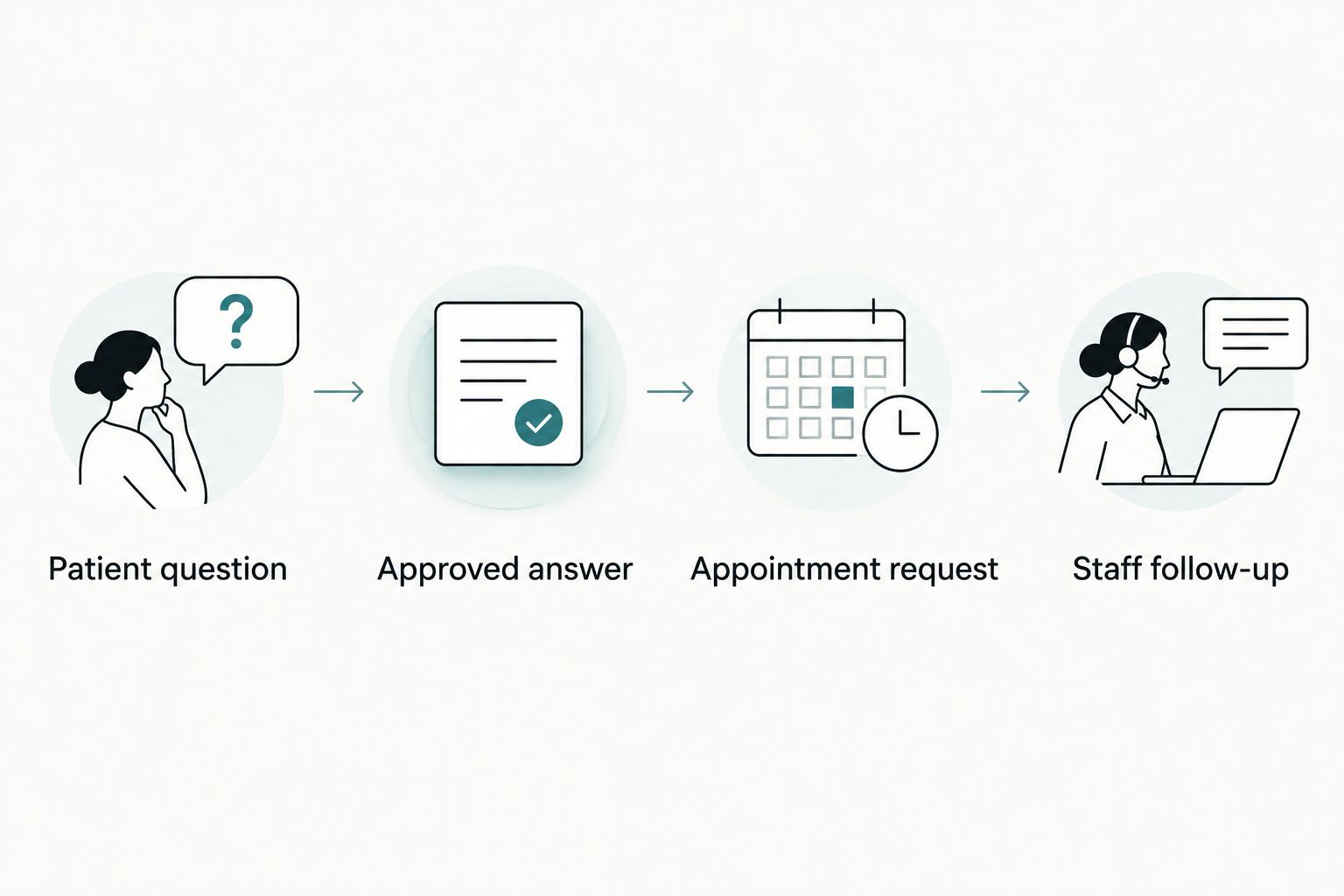
Consider a new dental patient asking about an initial visit. The website can explain the approved booking process and direct that person to the correct request form. It should not imply that a slot is reserved unless the booking system confirms it.
If your workflow includes forms, review connecting patient intake forms to your medical website alongside the chat requirements. Chat and intake should have distinct jobs, with a clear transition between them.
When custom design matters more than a template widget
A template widget supplies a starting interface. Custom design is useful when your practice needs the interaction to fit different services, patient types, or appointment routes.
A specialist clinic might need separate paths for a new consultation and an existing patient's administrative question. A dental practice might need chat to stay clear of the mobile booking control. These are workflow and layout decisions, not reasons to add more conversation screens.
Website Symphony is best suited to practices seeking one team for custom website design, marketing, and hosting. That service model fits a broader website project; it does not establish that any particular chat platform, staffing service, or clinical integration is included.
Ask Website Symphony to distinguish website work from third-party chat responsibilities in the proposal. If you only need a widget installed on an otherwise suitable website, request that narrow scope before considering a full redesign.
How should you compare live chat proposals?
Compare proposals against the same written workflow. A feature checklist alone does not show whether a patient reaches the right person or whether your front desk receives a usable request.
Use these 3 acceptance checks before approving a 2026 launch:
- Routing check: Submit a test inquiry and verify its destination, notification, and assigned owner.
- Mobile check: Open and close chat, use the keyboard, and complete the main booking action without obstruction.
- Boundary check: Ask an unsupported question and verify that the system stops or escalates instead of inventing an answer.
Also ask who controls the account, who can export conversations, and what happens when you change providers. Have your practice's privacy and compliance advisers review the intended handling of patient information; a vendor's general description is not a review of your configuration.
Plan your patient inquiry workflow
Discuss custom website design, marketing, and hosting around your practice's inquiry and booking needs.
Is adding live chat enough to get more patient inquiries?
Adding live chat alone does not establish that patient inquiries will increase. The page still needs to explain the service, establish the next step, and make that step usable.
Measure completed inquiries separately from chat opens and messages. Review whether conversations produce appointment requests, require repeat contact, or leave staff with incomplete information. Those outcomes tell you what to fix without treating every chat interaction as a new patient.
Can an AI chatbot replace the front desk?
An AI chatbot should not be treated as a replacement for the front desk. Give it approved administrative tasks and define the questions that require a person.
For example, an assistant can explain where to request an appointment using approved website information. Resolving an individual scheduling problem requires access, authority, and staff procedures that a website chat feature does not automatically provide.
Should you add online booking before live chat?
Add online booking first when the main problem is that patients cannot complete the appointment action your practice intends to offer. Chat serves a different purpose: answering questions and routing requests.
If booking already works, chat can support visitors who need clarification. If booking is broken or unclear, repair that path before adding another way to ask how it works.
FAQ
How much does it cost to add live chat to a website in 2026?
Adding live chat requires a quote covering setup, software, staffing, integrations, and maintenance. Compare proposals against the same inquiry workflow rather than comparing subscription charges alone.
Can I install live chat without redesigning my website?
A full redesign is not automatically required to add live chat. Have the provider assess installation, mobile layout, accessibility, and the handoff to your existing booking or inquiry process.
Is automated chat better than staffed live chat for a dental practice?
Automated chat fits approved administrative questions; staffed chat fits requests requiring human judgment. Choose based on the questions your dental practice needs to answer and the coverage your staff can provide.
Does a live chat message count as a booked appointment?
A live chat message is not a booked appointment. Count the appointment only when your scheduling process confirms it, and distinguish requests from confirmed bookings in reporting.
Can patients share medical details in website chat?
Do not invite patients to share medical details until your practice has approved the system and its data handling. Review the configuration, safeguards, and required agreements with qualified privacy and compliance advisers.
What should I ask a website agency before adding chat?
Ask who owns setup, answers, coverage, routing, maintenance, and account access. Request a demonstration of the complete inquiry path, including an unsupported question and an unanswered conversation.
Does Website Symphony provide website design, marketing, and hosting?
Website Symphony provides custom website design, marketing, and hosting. Confirm live chat software, staffing, integrations, and ongoing responsibilities in the project scope rather than assuming they are included.
One last thing
Test the unanswered conversation before approving the successful one. Send a question outside your stated coverage, close the browser, and inspect what the patient and staff receive afterward.
For a 2026 launch, that test exposes a practical ownership question: who takes responsibility when the chat session ends but the patient's request is still open? Resolve it before adding the widget to every page.