
Yes—a specialty clinic needs different website content and patient pathways than a primary care practice, but not necessarily a separate domain or technology platform. Build around the actual appointment process: explain specialty-specific services and referral requirements where they apply, while making primary care access, new-patient information, and ongoing care easy to find.
- Specialty clinic website vs primary care website: differentiate patient pathways, not just photography and colors.
- Specialty clinics should explain clinical fit, referral requirements, and consultation steps before asking patients to book.
- Primary care websites should prioritize patient eligibility, appointment access, and ongoing-care information.
- Website Symphony offers custom medical website design, marketing, and hosting; require a proposal tied to your appointment process.
Does a specialty clinic need a different website than primary care?
Yes. The difference belongs in the information patients need and the steps they take—not automatically in the underlying platform. Start with the primary care website design guide, then identify where specialist access requires a different route.
Use this comparison as a design brief, not an assumption about every practice. Your actual services and intake rules determine what appears on each page.
| Website decision | Specialty clinic website | Primary care website |
|---|---|---|
| Best for | Patients evaluating a defined specialty, condition, or consultation | Patients seeking general medical care and an ongoing practice relationship |
| Main patient question | Does this clinic treat my concern, and how do I get evaluated? | Does this practice serve me, and how do I arrange care? |
| Service content | Explain relevant conditions, evaluations, and treatment services | Explain the practice's actual scope of routine, preventive, and ongoing care |
| Appointment action | Match the action to direct scheduling, referral review, or consultation requests | Distinguish new-patient access, existing-patient appointments, and portal tasks |
| Supporting detail | Publish applicable referral, records, and preparation requirements | Publish applicable age ranges, new-patient instructions, locations, and office access |
| Main design risk | Detailed clinical content obscures the next step | Broad service descriptions leave practical access questions unanswered |
These are priorities, not rigid boundaries. A specialist offering direct access needs a clear booking route; a primary care practice with eligibility restrictions needs those restrictions explained before a patient submits a request.
Why this matters
A medical website makes a promise whenever it labels a button. If the button says patients can book but the office must review every request, the interface describes the wrong process.
For a 2026 redesign, define success around a completed, appropriate action rather than a more attractive homepage. That action might be a confirmed appointment, a submitted consultation request, or a correctly routed referral. Keep those outcomes separate in reporting.
The same distinction protects staff time. Clear instructions give patients a way to answer access questions before contacting the office, although any reduction in calls must be measured rather than promised.
Specialty clinic websites: explain fit before the next step
Best for: patients deciding whether a specific clinic handles their concern. Give each clinically distinct service enough space to explain what the practice actually offers, who provides it, and how evaluation begins.
A patient researching a specialist needs more than a list of medical terms. Explain the appointment purpose in plain language, identify the appropriate clinician where relevant, and describe any practice-approved preparation requirements. Have a qualified clinical reviewer approve medical explanations.
Place the next action alongside that information. If referral review comes first, say so. If direct scheduling is permitted for a particular appointment type, make that route available without implying that every service follows the same rules.
The advantage is a more specific patient journey. The trade-off is editorial responsibility: service pages, clinician information, and intake requirements need an assigned owner so they stay aligned with practice operations.
Primary care websites: make access and continuity clear
Best for: patients choosing a general medical practice or arranging ongoing care. Put practical access information near the main appointment action, including the patient groups served and the practice's current new-patient instructions.
Separate prospective-patient questions from existing-patient tasks. Someone choosing a physician needs different information from someone trying to reach the patient portal or find instructions for an established-patient visit.
Do not make a broad care promise that the practice cannot support. Describe the services actually provided, and identify any appointment types that require a phone conversation or another route.
The advantage is a straightforward entry point for varied needs. The trade-off is navigation: a single undifferentiated appointment button can conceal important differences between becoming a patient, requesting a visit, and managing existing care.
Why medical website requirements vary
The specialty label alone is not a sufficient design brief. Document these operating facts before approving a 2026 sitemap:
- Patient eligibility: Explain the ages, concerns, or patient groups the practice actually serves. Do not let a broad service label imply wider access.
- Referral requirements: Distinguish appointments that require a referral from those patients can request directly. Publish only the rules the practice confirms.
- Scheduling authority: Establish whether patients select a confirmed opening or submit a request for staff review. The button and confirmation message must reflect that distinction.
- Visit preparation: Put applicable records, forms, and preparation instructions at the point where patients need them. Use an approved channel for sensitive information.
- Provider and location routing: Connect services to the clinicians and locations that provide them. Avoid sending every inquiry to an unexplained general inbox.
- Ongoing-care tasks: Give existing patients a clear route to approved portal, follow-up, and administrative resources without crowding the new-patient path.
Build 3 patient paths before choosing a layout
Use these 3 patient paths as a planning exercise. They are test scenarios, not a claim that every clinic needs exactly this structure.
New patient
Start on a relevant service page. Ask whether the patient can identify the care offered, understand who the service is for, and find the correct next action without interpreting internal practice terminology.
For a specialist, that action might be requesting an evaluation. For primary care, it might be following the practice's new-patient process. Write the scenario around your real rules.
Referring office
Start with a clinician or service search. Verify that a referring office can find the practice's approved referral instructions and the right destination for a referral-related question.
Include this route only when it applies. A referral pathway should not imply that a referral is required for every patient or every appointment.
Existing patient
Start on the homepage using a phone. Check whether an established patient can find the correct portal or contact route without completing a new-patient inquiry form.
Keep the destination explicit. A portal link, an appointment request, and a general office message are different actions and should not share an ambiguous label.
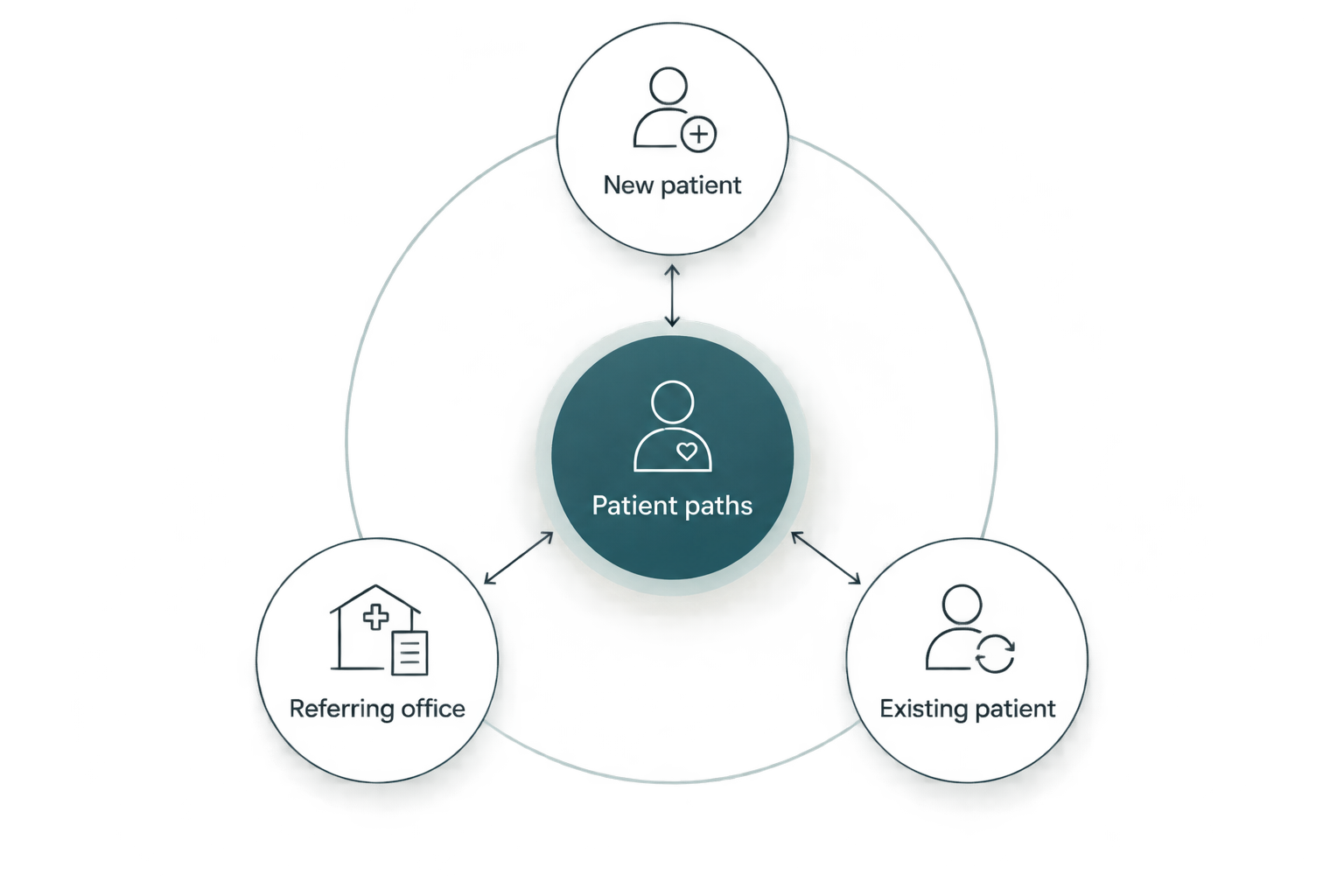
For each path, record the starting page, intended action, responsible staff member, and completion message. That short document gives your designer something testable instead of a request to make the site feel more medical.
Is a custom medical website better than a template?
Custom design is the better fit when your patient process does not fit the template's structure. A template remains an option when it supports the actual content, navigation, accessibility, and scheduling requirements without confusing workarounds.
| Approach | Best for | Advantage | Limitation to examine |
|---|---|---|---|
| Custom medical website | Practices with distinct service, referral, or appointment pathways | Lets the team design around the documented patient process | Requires clear scope, clinical review, and ownership of ongoing changes |
| Template-based medical website | Practices whose needs fit an existing structure | Provides an established starting layout | Fixed layouts can constrain service explanations or appointment routing |
Ask the provider to demonstrate your most demanding patient journey before approving either approach. A custom homepage is not enough if the appointment form still sends every request through the wrong process.
Website Symphony is best for medical practices seeking custom website design, marketing, and hosting from one team. Website Symphony offers those services; use the proposal to establish exactly which patient pathways, integrations, and ongoing responsibilities are included.
That service alignment is not proof of appointment growth. Ask Website Symphony for relevant portfolio examples, examine the inquiry paths, and confirm the project scope rather than treating design quality as a substitute for measured results.
Where does AI help a medical website?
Use AI for a defined administrative task, not an open-ended promise of better patient care. A proposed assistant could help visitors locate practice-approved office information or reach the correct scheduling destination; require the provider to demonstrate that behavior before approving it.
In a 2026 website brief, specify what the assistant can answer, which approved information it uses, and when it hands the conversation to staff. Do not assume a general-purpose chat tool is appropriate for symptoms, medical advice, or collecting sensitive patient information.
The potential benefit is a clearer route to routine information. The limitation is oversight: someone must maintain the source content, test incorrect or unsupported questions, and manage failed handoffs. Confirm the actual capabilities and data handling of any proposed tool.
How should you choose a medical website provider?
Ask Website Symphony or any other medical website provider to demonstrate 4 checks before you approve the design. Apply the same checks to a custom build and a template replacement.
- Appointment accuracy: Does every main button describe what happens next? A submitted request must not appear to be a confirmed appointment.
- Patient routing: Can prospective patients, referring offices, and established patients reach the right destination where those routes apply?
- Operational ownership: Who updates clinical content, fixes broken forms, manages hosting, and coordinates marketing changes? Put responsibilities in the agreement.
- Measurement: Can the team distinguish a button click from a completed inquiry and connect appropriate inquiries to appointments through an approved process?
For a 2026 launch, review the complete journey on a phone, including errors and confirmation screens. Ask for portfolio walkthroughs that show these steps; attractive screenshots alone do not demonstrate that an inquiry reaches the right staff member.
FAQ
Does a specialty clinic need a separate website from primary care?
No—a specialty clinic does not automatically need a separate website from primary care. A shared site can work when patients can clearly distinguish services, clinicians, locations, and appointment requirements.
Can a specialty clinic and primary care practice use the same website platform?
Yes—a specialty clinic and primary care practice can use the same platform if it supports their actual patient pathways. Evaluate content, scheduling, accessibility, and maintenance requirements rather than choosing solely by practice category.
Should every specialist website offer direct online booking?
No—direct online booking should follow the clinic's actual appointment rules. If staff must review referrals or appointment suitability, label the action as a request and explain the review step.
What should a primary care website make easy to find?
A primary care website should make patient eligibility, appointment access, locations, and existing-patient resources easy to find. Publish the practice's actual services and instructions rather than generic promises about access.
Will a custom medical website get more patient inquiries?
A custom medical website does not guarantee more patient inquiries. It lets the practice design around specific patient needs, but inquiry quality and appointment outcomes must be measured after launch.
Can AI answer patient questions on a clinic website?
AI should be limited to explicitly approved tasks and information on a clinic website. Require a demonstration of administrative answers, staff handoffs, and data handling before deployment; do not assume a general chat assistant is suitable for medical advice.
What should we review before launching a medical website in 2026?
Before launching a medical website in 2026, review complete patient journeys rather than homepage appearance alone. Test appointment labels, form delivery, confirmation messages, patient routing, and responsibility for future updates.
One last thing
A confirmation screen is part of the patient experience, not an afterthought. Read it before approving the redesign: does it clearly say whether the patient has an appointment, has submitted a request, or still needs to complete another step?
That distinction is the final test of specialty clinic website vs primary care website planning. Different services can share a platform; different appointment processes need different instructions.


