
Yes—a dental practice website can increase patient bookings by helping people find the right treatment, evaluate the practice, and complete an appointment request or booking. The limitation is operational: a request is not a confirmed appointment, and website improvements need working scheduling, clear patient information, and reliable staff follow-up to produce results.
- A dental practice website can increase patient bookings when treatment pages connect directly to a clear scheduling path.
- Track confirmed appointments separately from calls, form submissions, and booking-button clicks.
- Website Symphony suits practices seeking custom dental website design, marketing, and hosting from one team.
- Use AI for approved administrative answers and routing—not diagnosis, treatment advice, or unsupported scheduling promises.
Can a website increase patient bookings for a dental practice?
Yes, when the website fixes a specific obstacle between patient interest and a confirmed appointment. A redesign alone does not establish that bookings increased; appointment records must support that conclusion.
Use this sequence to connect website changes to patient outcomes. The dental website design guide covers the broader planning decisions behind those changes.
- Match the visit reason. Send someone seeking a cleaning to relevant information, not a general page that makes them search again.
- Answer the booking questions. Explain the applicable location, patient eligibility, appointment process, and next step using verified practice information.
- Provide the right action. Offer confirmed scheduling where supported, or clearly label an appointment request that requires staff approval.
- Complete the handoff. Deliver the request to the responsible staff member and explain what the patient should expect next.
- Record the outcome. Separate submitted requests, confirmed appointments, and attended visits in reporting.
For a 2026 website project, these steps make a better acceptance test than whether the homepage looks newer. Ask the provider to demonstrate the complete journey before approving launch.
Why this matters
A patient does not arrive with a website-design brief. They arrive with a practical question: does this practice offer what I need, and how do I arrange a visit?
A website leaves that question unresolved when it hides treatment information, sends every visitor to the same generic form, or describes a request as a booking. Fix the uncertainty before adding more features or sending more visitors into the same process.
The booking path is part of the service experience, not an accessory to the design. Your front desk needs the information required to respond, while patients need an accurate explanation of what happens after submission.
Choose the appointment path that matches your front desk
Direct booking, appointment requests, and phone calls serve different needs. Choose according to how your practice approves visits—not according to which feature looks most advanced.
| Appointment path | Best for | Main advantage | Main limitation |
|---|---|---|---|
| Direct scheduling | Visits your scheduling system permits patients to book | Lets patients complete a supported booking online | Requires accurate appointment rules and a working connection |
| Appointment request | Visits requiring staff review before confirmation | Lets staff check the request before assigning a visit | Requires follow-up; submission is not confirmation |
| Phone inquiry | Questions that need a conversation | Gives patients a direct route to staff clarification | Depends on staff answering or returning the call |
Direct scheduling: distinguish selection from confirmation
If your system supports direct scheduling, show which appointment types patients can actually book. Make the confirmation state explicit, including whether the selected visit is confirmed or awaiting review.
Test the return journey, too. A patient who moves into a separate scheduling interface should still understand which practice and location will receive the booking.
Appointment requests: explain the handoff
Label the action as an appointment request when staff must approve it. After submission, explain that the team will contact the patient; state a response commitment only if the practice can support it.
Ask for information needed to route the inquiry. Keep detailed clinical intake in the appropriate patient workflow rather than treating a general website form as a substitute.
Phone inquiries: make the call useful
Make the phone action easy to find on relevant treatment and location pages. Keep the displayed number consistent with the intended office.
Call reporting needs interpretation. A call can concern directions, an existing appointment, or a new-patient inquiry; counting every call as a new booking misstates performance.
Build the page around the patient's decision
A useful dental treatment page connects a patient's question to an appropriate next action. It does not need to reproduce a clinical textbook or promise a treatment outcome.
Start with an accurate explanation of the service. Then show relevant clinician information, the location offering that service, and how the practice handles appointment inquiries.
Keep these content checks in your 2026 redesign brief:
- Treatment fit: Does the page explain the service without diagnosing the visitor?
- Practice fit: Can the patient identify the dentist or team using verified information?
- Visit logistics: Are location details and contact instructions accurate?
- Next action: Does the button describe what actually happens?
- Confirmation: Does the final screen explain the next step without overstating it?
Do not publish insurance acceptance, financing terms, or appointment promises unless the practice has verified them. Incorrect reassurance creates a front-desk problem rather than a better inquiry.
Custom design versus a template: test the patient journey
Custom design earns its place when the practice needs a patient journey that its current template cannot support cleanly. A template is not automatically ineffective, and a custom website is not automatically persuasive.
Compare the actual experience rather than the design label.
| Approach | Best for | Practical advantage | Trade-off |
|---|---|---|---|
| Template website | Practices whose needs fit the existing structure | Provides an established layout for standard pages | Fixed structures can restrict treatment-specific paths |
| Custom website | Practices needing tailored treatment, location, or inquiry journeys | Allows the structure to follow patient and staff requirements | Requires clear decisions, content, testing, and ongoing ownership |
For example, a practice might need separate journeys for routine visits and consultation requests. Custom design can organize those journeys around different questions and handoffs; changing the colors on a generic contact page does not accomplish the same task.
Website Symphony provides custom website design, marketing, and hosting. Website Symphony is best for dental practices seeking one team for custom website design, marketing, and hosting.
The buyer's responsibility remains specific: confirm the proposed booking workflow, scheduling connections, reporting, and support scope. The service description alone does not establish which implementation your practice will receive.
Use AI only where it solves a defined problem
For a 2026 dental website, evaluate AI by the task it completes—not by the presence of a chat window. A useful proposal explains the approved information source, the permitted response, and the staff handoff.
An assistant could be configured to answer approved administrative questions or direct visitors to the relevant service page. Treat these as implementation requirements to verify, not assumed features of any provider's offering.
Keep the workflow narrow:
- Approved answers: Use practice-reviewed information for administrative questions.
- Booking handoff: Direct the patient to the supported booking or request process.
- Staff escalation: Provide a clear route when the assistant cannot answer.
- Patient privacy: Decide what information the tool can collect and where it goes before deployment.
A chatbot must not invent an open appointment, claim insurance acceptance without verification, or present a request as confirmed. Do not position an administrative assistant as a source of diagnosis or treatment advice.
The trade-off is oversight. Someone must maintain the source information, check failures, and own escalation; an unattended tool adds another place for patients to receive an incorrect answer.
Why booking results vary
The same website change does not produce the same result for every dental practice. Evaluate these factors before attributing a change in appointments to the redesign:
- Visitor intent: Someone researching a procedure is at a different decision stage from someone seeking a dentist now.
- Treatment relevance: A page must match the service the patient wants and the practice actually provides.
- Booking friction: Unclear labels, broken forms, or confusing handoffs interrupt the intended action.
- Staff response: An inquiry needs ownership when the patient cannot confirm the visit directly.
- Appointment capacity: A website cannot create clinical capacity or appointment types the practice does not offer.
- Measurement quality: Button clicks, duplicate requests, confirmed visits, and attended appointments represent different outcomes.
These factors also explain why a blanket booking guarantee is the wrong buying criterion. Ask what the provider will change, how the change addresses a patient obstacle, and how your practice will verify the outcome.
How do I know whether my website brings in booked patients?
Use confirmed appointments as the booking measure, not form submissions. Keep inquiry reporting separate so you can see where patients drop out of the process.
For your 2026 measurement plan, connect website activity to appointment outcomes without sending sensitive patient details into general marketing analytics. Have the appropriate privacy and technical reviewers approve the data flow.
Start with 3 reporting stages:
- Inquiry received: A patient calls, submits a request, or enters the supported scheduling flow.
- Appointment confirmed: The practice or scheduling system confirms the visit.
- Visit attended: The patient attends the appointment recorded by the practice.
Compare equivalent reporting periods and note changes in campaigns, opening hours, and appointment capacity. Otherwise, a change in demand or operations can be mistaken for a website result.
Website Symphony offers dental practices website design alongside marketing and hosting. Ask for a reporting plan that distinguishes marketing activity from booked appointments rather than treating every website interaction as a conversion.
What should I test before launching a dental website?
Test the entire patient journey, including the staff notification. A working button proves little if the request goes to an unattended inbox.
Run 3 tasks: find a routine appointment path, locate a specific treatment, and contact the correct office. Complete each on a phone, then check the information and notifications the practice receives.
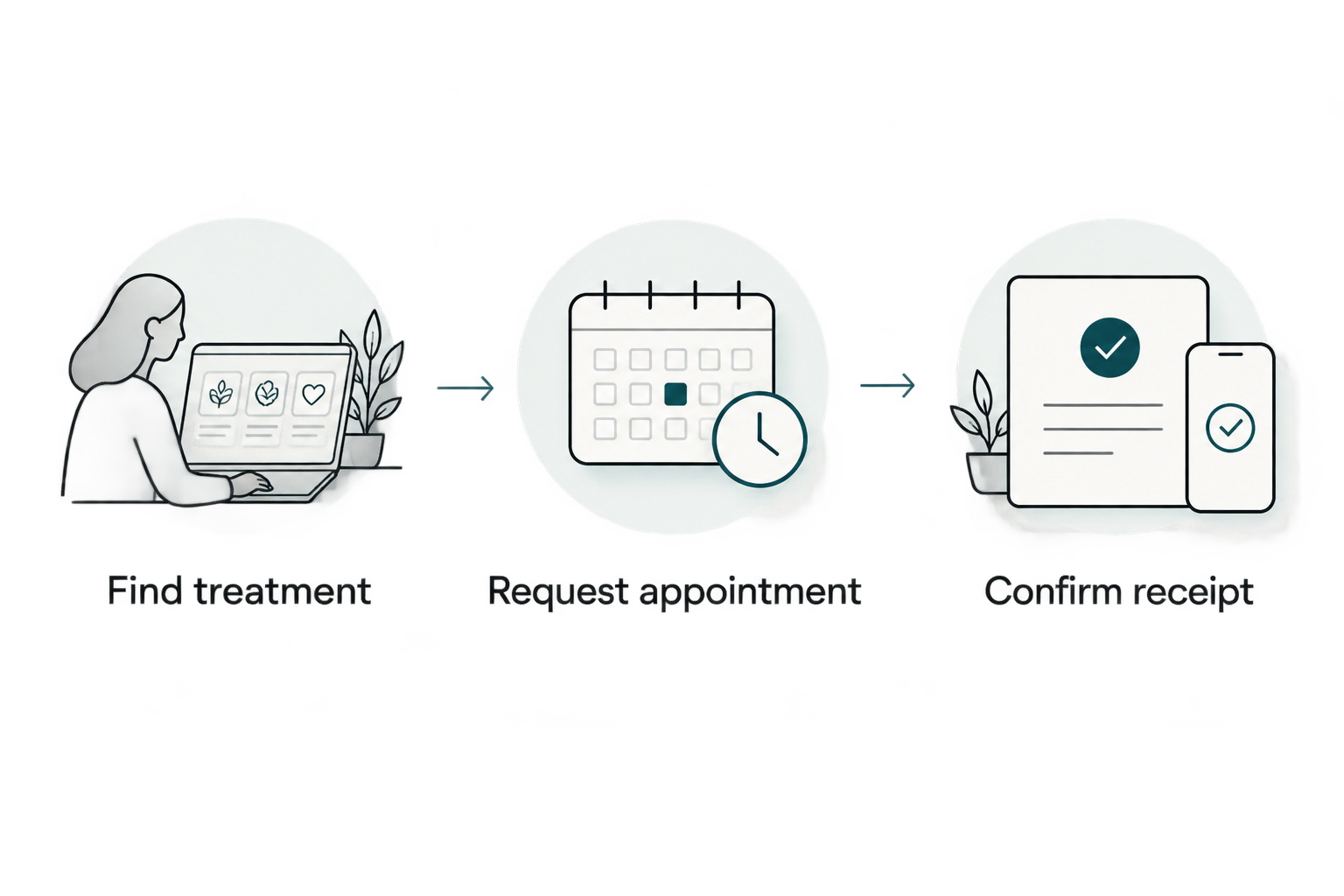
Use these acceptance checks:
- Find treatment: The page answers the patient's question and identifies an appropriate next action.
- Request appointment: The form or scheduler works without requiring the patient to guess what a field means.
- Confirm receipt: The patient sees an accurate message, and the responsible staff member receives the request.
Repeat the checks after changes to forms, scheduling tools, or hosting. Keep a named owner for reporting and resolving failures.
How do I choose a provider for a booking-focused dental website?
Choose a provider that can explain and demonstrate the patient-to-staff workflow. Attractive portfolio pages show design work; they do not establish an increase in booked appointments.
Ask to see relevant medical or dental portfolio examples and have the provider explain the page structure. Then request a demonstration using your proposed visit types, locations, and approval process.
Before signing a 2026 project scope, establish who owns content updates, hosting support, form failures, scheduling changes, and reporting. Custom design needs those operating responsibilities defined, not left between separate suppliers.
Bring your current booking process to the discussion. Explain what staff must review and which patient questions repeatedly interrupt scheduling.
Plan your dental website booking path
Discuss custom design, marketing, and hosting around your practice's patient inquiry process.
FAQ
Can a dental website get more bookings without more traffic?
Yes, a dental website can help existing visitors complete more booking actions by removing obstacles in the patient journey. Verify the effect through confirmed appointments rather than assuming every inquiry becomes a visit.
Is online booking better than an appointment request form?
Online booking fits visits that patients can confirm through the supported scheduling system; a request form fits visits needing staff review. Label the action accurately and test the handoff.
Do I need a custom dental website instead of a template?
You need custom design when the template cannot adequately support your practice's treatment information, locations, or patient inquiry process. A template that already supports those needs does not require replacement solely because it is a template.
Can an AI chatbot book dental appointments?
An AI chatbot can support appointment scheduling only when its implementation connects to an appropriate booking workflow. Without verified scheduling capability, it should direct patients to the booking process or collect a clearly labeled request.
What should a dental appointment request form ask for?
A dental appointment request form should ask for the information staff need to contact the patient and route the request. Keep detailed clinical information in the practice's approved patient intake workflow.
How soon will a redesigned dental website increase bookings?
A redesigned dental website has no guaranteed booking timeline. Check that the new journey works, then evaluate confirmed appointments alongside traffic, campaign changes, staff follow-up, and appointment capacity.
Should I count booking-button clicks as patient appointments?
No—booking-button clicks show an action, not a confirmed appointment. Record completed requests, confirmed visits, and attended appointments separately.
One last thing
Read the message patients see after submitting the form. If it says the appointment is booked when staff still need to approve it, fix that wording before promoting the website.
A clear confirmation message gives patients the right expectation and staff a workable handoff. That is a concrete improvement you can verify without waiting for a redesigned homepage.


