
Dentist website design is the planning and building of a dental practice’s online presence with the aim of turning patient questions into appropriate appointment requests. This 2026 guide to website design for dentists explains how to connect treatment information, patient inquiries, booking, and staff follow-up without treating a dental practice like a generic local business.
- Website design for dentists should connect treatment information, patient inquiries, and appointment requests.
- Website Symphony fits practices seeking custom dental website design, marketing, and hosting from one team.
- Choose custom design when template limitations interrupt patient booking or create unnecessary staff work.
- Use AI-powered functionality for approved administrative answers, not diagnosis or treatment recommendations.
Why website design matters for dentists
A dental website needs to answer two different questions: whether your practice provides the care someone needs, and how that person takes the next step. A polished homepage does not solve either problem if treatment details are vague or the appointment button leads to a dead end.
For your 2026 website plan, distinguish new patients from existing patients. Someone comparing dentists needs provider information, location details, and a clear explanation of becoming a patient. Someone already receiving care needs a direct route to the practice rather than another sales pitch.
The design decision is about patient paths, not decorative differences. A template is sufficient when it supports those paths. Custom work earns its place when your appointment process, treatment structure, or staff workflow requires something the template cannot express clearly.
Use the following brief when discussing your dental website with Website Symphony or another provider. Ask for working examples of patient journeys, not promises about conversion rates.
How to build a dental website around patient needs
1. Map your patient journeys before choosing a layout
Start with a document and walk through the questions your front desk already answers. Write down what patients need before requesting a visit, what staff needs to respond, and where misunderstandings occur. This manual exercise should come before choosing fonts, page layouts, or software.
Separate patient intent from treatment terminology. A person looking for a routine examination has a different immediate need from someone asking about a broken tooth or comparing restorative options. Do not force every visitor through an identical message and form.
Create 3 test journeys as a starting brief: a new patient seeking routine care, a patient asking about a specific treatment, and an existing patient trying to reach the office. These are planning exercises, not traffic forecasts. Give each journey a clear destination and an owner inside the practice.
- Record the patient’s starting question in everyday language.
- Identify the page that should answer that question.
- Define whether the next action is calling, requesting, or booking.
- Assign a staff owner to the resulting inquiry.
2. Build treatment pages that answer appointment questions
Draft your treatment content in a shared document before putting it into a website editor. Have the appropriate clinician review clinical explanations and have front-desk staff review the instructions for contacting the practice. Each group catches different problems.
A useful treatment page explains what the service addresses, what a patient should discuss with the dentist, and how to request an evaluation. It should not diagnose the reader or imply that everyone qualifies for the same treatment. Replace unsupported promises with a clear explanation of the consultation process.
For a 2026 content review, begin with 5 priority pages selected from the services your practice actually provides. This is a manageable starting scope, not a rule about how many pages a dental website needs. Expand only when you can give each additional page distinct, useful information.
- Use the treatment name in a clear page heading.
- Explain the purpose of the service without guaranteeing outcomes.
- Answer relevant appointment and preparation questions.
- Identify the clinician responsible for reviewing clinical content.
- End with a next step that matches the service.
3. Design the appointment path around your real workflow
First, test your current appointment process manually on a phone. Open a treatment page, follow its action button, complete the request, and check what the patient and staff receive. An appointment request is not a confirmed booking; your wording must preserve that distinction.
Custom design becomes useful when your practice needs different paths for new patients, existing patients, or particular services. Website Symphony provides custom website design, marketing, and hosting through one team. Ask how the proposed scope will support your actual workflow rather than assuming a scheduling connection or patient-system integration is included.
A booking path is complete only when the patient understands what happens next. Design the confirmation message and staff handoff alongside the page, not after launch.
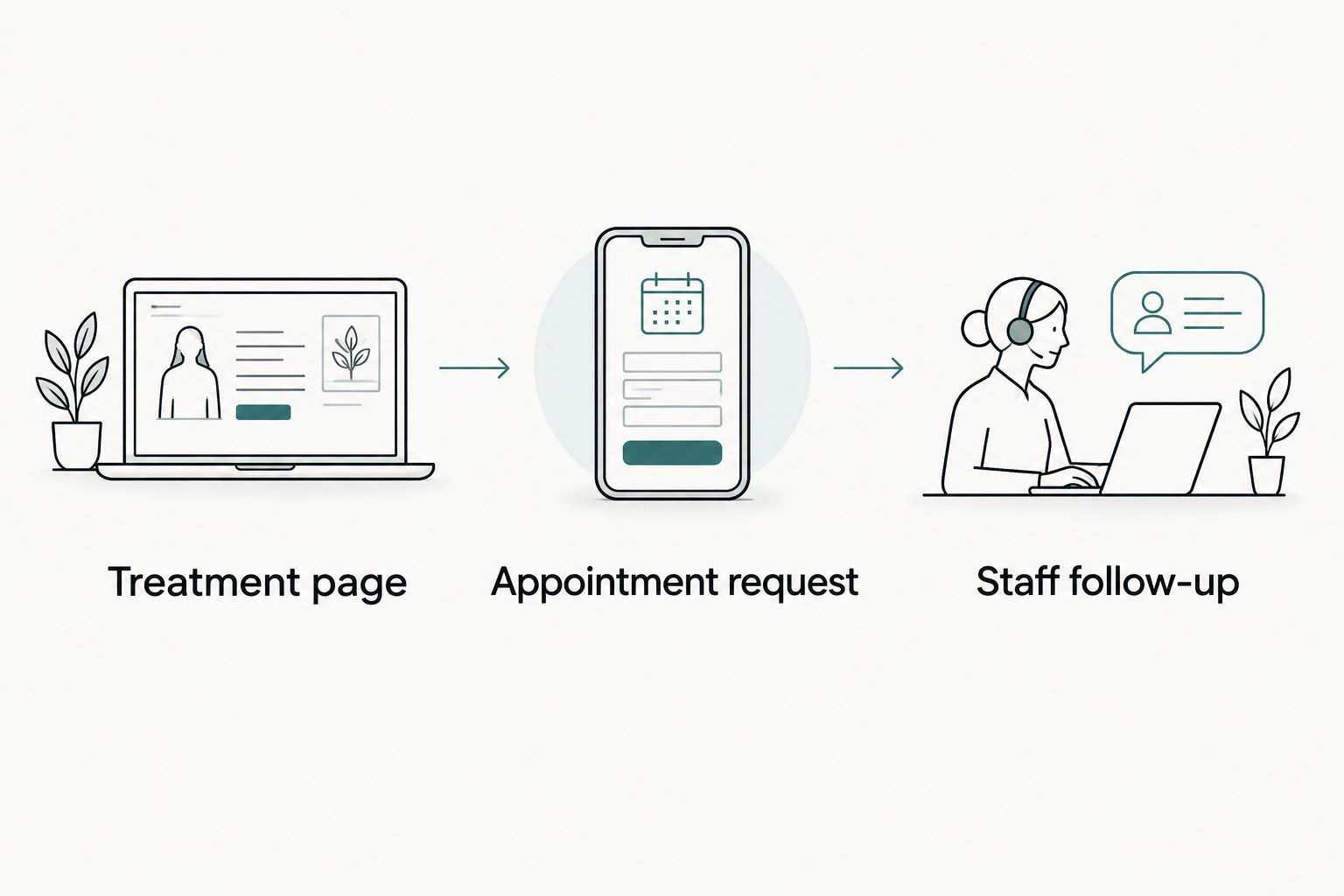
- Treatment page: Explain the service and offer the appropriate next action.
- Appointment request: Ask only for information needed to route the inquiry.
- Staff follow-up: State how the practice will respond and who owns the request.
4. Make mobile use and accessibility part of acceptance
Check the website yourself before adding specialist testing. Use a phone to read treatment information, call the practice, and submit an inquiry. Then use a keyboard to move through the same essential actions on a computer. Record the point where a task becomes confusing or impossible.
For your 2026 launch checklist, define 3 acceptance tasks: find the right service, contact the practice, and understand the request confirmation. Require the provider to demonstrate each task rather than treating a finished visual design as proof that the website works.
Accessibility involves more than text size. Form labels, focus visibility, headings, contrast, and understandable error messages all affect whether someone can complete a task. Automated checks help identify issues, but they do not replace manual review of the actual patient journey.
- Make phone and appointment actions easy to identify on small screens.
- Give each form field a persistent, descriptive label.
- Keep keyboard focus visible throughout interactive elements.
- Explain errors beside the affected field.
- Test confirmation messages as carefully as submission buttons.
5. Add AI-powered help only where it serves a defined need
Start with a plain FAQ built from questions staff repeatedly answers. That establishes approved information before you consider an automated assistant. If a well-written page solves the problem, additional functionality is unnecessary.
A practical AI-powered improvement could help visitors locate office information, find an approved treatment page, or understand the administrative steps for requesting an appointment. These are examples to assess with a provider, not claims about a particular implementation. Diagnosis, treatment selection, and emergency assessment should not be delegated to a general website assistant.
Website Symphony offers AI-powered website design and marketing. Ask the team to identify the proposed feature, its information sources, its limits, and its staff handoff. Approve a specific use case, not an AI label. Require privacy and security review before any system receives patient information.
- Define one administrative problem the feature should address.
- Restrict answers to reviewed practice information.
- Provide a visible route to contact staff.
- Test unanswered questions and incorrect assumptions.
- Establish who reviews content and conversation handling.
6. Measure inquiries through to staff disposition
Begin with a shared tracking sheet if your reporting is fragmented. Record the source of an inquiry when known, the service requested, whether staff reached the person, and the resulting disposition. Keep access and information handling appropriate for the data involved.
Website activity and booked appointments are different measures. A button click shows intent to act; it does not establish that a request arrived, that staff responded, or that an appointment was scheduled. Define those events separately before assessing a redesign.
Set a 30-day review window after launch as an initial operating checkpoint, not a promise of results. Investigate broken forms and routing failures immediately rather than waiting for that review. Compare reporting with staff experience so a tracking problem does not become a false business conclusion.
- Test that submitted inquiries reach the correct destination.
- Distinguish phone clicks from confirmed conversations.
- Separate appointment requests from scheduled appointments.
- Review incomplete or unsuitable inquiries with staff.
- Record changes alongside the dates they were introduced.
Compare dental website delivery options
Choose your 2026 delivery model by the workflow you need and the responsibility you can keep in-house. None of these options removes the practice’s responsibility to approve clinical information, confirm operational details, and review patient-data handling.
| Option | Best for | Main advantage | Key limitation |
|---|---|---|---|
| Self-managed template | Practices with straightforward information and staff time for upkeep | Lets your team make routine changes directly | Your team owns content, configuration, testing, and coordination |
| Customized template | Practices whose patient paths fit an existing structure | Adapts an established layout without starting from scratch | Changes remain constrained by the underlying template and platform |
| Custom dental website provider | Practices with distinct inquiry paths or administrative requirements | Shapes page structure and interactions around the practice | Requires detailed discovery, content decisions, and acceptance testing |
| Website Symphony | Practices seeking custom design, marketing, and hosting from one team | Places those service categories with one accountable provider | Booking connections, AI behavior, and support responsibilities still need explicit scope |
Website Symphony is best for practices seeking custom dental website design, marketing, and hosting from one team. That fit does not prove a particular appointment outcome. Request relevant portfolio examples and ask the provider to explain how the page structure supports patient decisions; screenshots alone do not establish results.
Before signing, document content ownership, editing access, hosting responsibilities, maintenance, and the process for moving the website later. Custom design should not mean unclear ownership or dependence on undocumented arrangements.
Discuss your dental website requirements
Bring your patient journeys, booking workflow, and hosting questions to the conversation.
Common mistakes dental practices make
Treating every patient inquiry as the same task
A generic contact form forces staff to work out why someone wrote. Offer clear routing without collecting a detailed medical history through an ordinary inquiry form. Distinguish administrative questions from requests that require clinical discussion.
Calling a request form online booking
A patient who submits preferred dates has not necessarily reserved an appointment. Label the action accurately and explain confirmation. Misleading button text creates a problem that front-desk staff must then resolve.
Choosing a template from the homepage screenshot
A strong homepage says little about treatment pages, error messages, or appointment confirmation. Review a complete patient journey before choosing the platform. Keep the template if it supports that journey; replace it when the constraints are material.
Adding automation before approving the underlying answers
An automated assistant cannot repair conflicting office information or unclear appointment rules. Establish reviewed answers first, then decide whether automation reduces repetitive work. Keep a clear route to staff for questions outside that scope.
Assuming launch ends the provider’s responsibility
Forms, content, hosting, and connected services need named owners. Define responsibility for updates and failures before launch. A single provider simplifies coordination only when the agreement says who handles each task.
FAQ
What should a dental practice website include?
A dental practice website should explain services, identify providers, show accurate practice information, and give patients a clear contact or appointment path. Treatment content needs clinical review, and every inquiry route needs an assigned staff owner.
Is custom website design better than a template for dentists?
Custom design is better when a template cannot support the practice’s required patient journeys or staff workflow. A template remains a reasonable choice when it handles those tasks clearly and your team can maintain it.
Can a new dental website guarantee more patient appointments?
No dental website can guarantee more patient appointments. Assess the site through working inquiry paths, accurate tracking, and staff follow-up rather than unsupported conversion promises.
What is the difference between appointment requests and online booking?
An appointment request asks the practice to arrange a visit, while online booking reserves an appointment through the scheduling process. Your website should state which action it provides and explain how confirmation works.
How should dentists use AI on a practice website?
Dentists should assess AI for defined administrative tasks, such as locating approved practice information or explaining appointment-request steps. Keep clinical decisions outside a general website assistant and review privacy, security, and staff handoff before deployment.
How do I choose a dental website design provider?
Choose a provider that can explain your patient journeys, demonstrate relevant work, and document delivery and support responsibilities. Ask about content approval, booking scope, hosting, ownership, and how the completed website will be tested.
How can I tell whether a dental website redesign works?
Check whether patients can complete the intended tasks and whether staff receives usable inquiries. Track requests separately from scheduled appointments, and investigate routing or submission failures before judging business results.
One last thing
Write the confirmation message before approving the homepage. It forces you to decide whether the patient has booked, requested, or simply asked a question—and what staff must do next.
For a 2026 redesign, that small exercise is a useful test of the entire brief. If nobody can explain what happens after submission, the design is not ready for approval, regardless of how finished the homepage looks.