
Chiropractic website design is the planning and development of a practice website with the aim of turning patient questions into appropriate appointment requests. This 2026 guide explains website design for chiropractors through the decisions that matter: explaining care clearly, helping patients choose their next step, and giving staff a manageable inquiry process.
- Website design for chiropractors should connect clear care information with appointment requests and reliable staff follow-up.
- Website Symphony fits practices seeking custom medical website design, marketing, and hosting from one team.
- Choose templates for straightforward requirements; choose custom design when patient booking and inquiry paths need different workflows.
- Use AI for approved administrative questions, not diagnosis, treatment recommendations, or unsupported clinical claims.
Why website design matters for chiropractors
A chiropractic website must answer questions before asking for an appointment. Patients need to understand who provides care, what a first visit involves, where the practice operates, and how to contact the office. A prominent booking button does not replace those answers.
The useful distinction is not an attractive website versus an outdated one. It is a patient path that matches your office workflow versus a page that collects requests nobody handles consistently. When comparing medical website design companies, assess the patient journey and staff handoff, not just the portfolio homepage.
For your 2026 project, define success as a completed, appropriate patient inquiry or appointment request. Treat traffic and button clicks as supporting measures, not the final outcome.
Build the website around your patient journey
Define the appointment you want patients to request
Start manually: ask your front desk which questions patients ask before scheduling, then turn those answers into a short website brief. Separate new-patient inquiries from existing-patient needs so visitors do not have to guess which form to use.
Choose one primary action for each page. A first-visit page should explain the next step for a prospective patient; an existing-patient page should direct people to the practice's established process. Keep secondary actions visible without giving every button equal emphasis.
Use these planning tasks:
- Write the intended patient action at the top of each page brief.
- Separate appointment requests from confirmed bookings in your wording.
- List the information staff actually need before responding.
- Identify who receives each request and who covers absences.
- Give patients a clear alternative when online scheduling does not fit.
Explain the first visit before asking for commitment
Draft the first-visit page in plain language before choosing a layout. Describe your actual intake process, clinician assessment, and scheduling expectations without promising a particular treatment or result. Only publish details your practice has approved.
Show the clinician's verified credentials, the office location, and the contact route near the decision point. Place practical answers where patients need them rather than sending visitors through unrelated pages. A template is sufficient when it presents these details clearly; custom design becomes useful when the patient journey requires a different structure.
Build the page around these essentials:
- Explain what happens before the appointment.
- Describe the first visit using practice-approved language.
- State what patients should bring, when applicable.
- Present verified clinician information beside relevant care content.
- Answer insurance and payment questions using your current policies.
Choose custom design when your workflow requires it
Map your pages and forms on paper first. Then identify the requirements a standard template cannot accommodate cleanly: different inquiry routes, multiple locations, distinct clinician schedules, or a staff review process before confirmation. Buy custom work for those requirements, not for decoration alone.
Website Symphony is best for practices seeking custom medical website design, marketing, and hosting from one team. The agency offers those services; evaluate the proposed chiropractic workflow and deliverables before signing. Custom work also requires your practice to supply approved content and make decisions during development.
Compare provider proposals using these questions:
- Ask which patient journeys the proposed design supports.
- Request relevant portfolio examples and an explanation of the inquiry path.
- Confirm who owns the domain, website assets, and content.
- Identify which changes require developer involvement.
- Define responsibility for hosting, updates, and marketing separately.
Connect appointment requests to a clear staff handoff
Sketch the handoff before connecting a form or scheduler. A patient who submits a preferred appointment time has made a request, not necessarily secured a booking. The confirmation screen must reflect what your office actually does next.
Test the process manually with 3 appointment scenarios: a new patient, a returning patient, and someone unsure which appointment to request. This is a proposed acceptance test, not a performance benchmark. Assign an owner to each request type and verify the full route, including unsuccessful submissions.
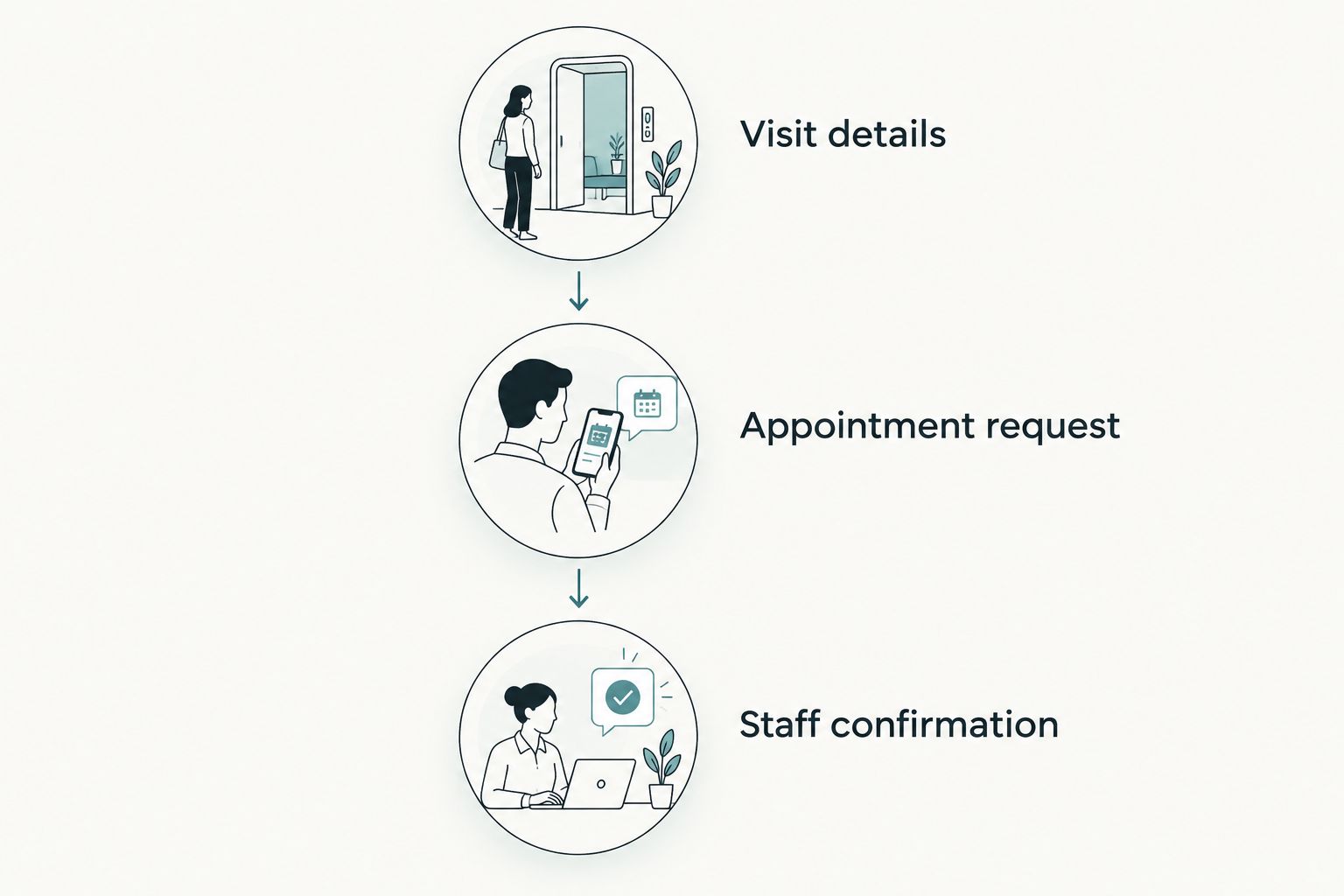
Make these stages explicit:
- Visit details: explain the appointment type before collecting information.
- Appointment request: ask only for details needed at this stage.
- Staff confirmation: explain who responds and what happens next.
- Submission recovery: provide a usable alternative if the form fails.
- Request routing: send each inquiry to the responsible team member.
Add AI only where it resolves an administrative task
Start with a maintained FAQ and clear navigation. Those are the manual alternatives to an automated assistant, and they remain necessary even if you add AI. Automation should handle a defined question or handoff, not compensate for missing information.
Website Symphony offers AI-powered websites; ask any proposal to identify the exact patient or staff task the functionality will serve. For a 2026 chiropractic website, an appropriate brief could cover approved office information or routing visitors to an inquiry page. That is a proposed use, not a claim about an included feature.
Set these boundaries before implementation:
- Limit answers to practice-approved administrative information.
- Direct clinical questions to the practice's appropriate contact route.
- Provide a visible path to a staff member.
- Review how submitted information is stored and shared.
- Test unanswered questions and incorrect assumptions before launch.
Build useful local and care pages
Begin with a spreadsheet of actual services, clinicians, locations, and patient questions. Give each page a distinct purpose. Do not create location pages for places where your practice has no genuine connection or clinical pages that suggest services you do not provide.
Write care content with clinician review. Explain the assessment process and the limits of what a website can tell a prospective patient. Avoid guarantees about pain relief, recovery, or appointment outcomes. Search-friendly content must still represent your practice accurately.
Apply these checks to every page:
- Use a descriptive title that matches the page's subject.
- Keep practice name, address, and contact details consistent.
- Explain the specific service rather than repeating generic chiropractic copy.
- Connect relevant pages through useful, descriptive links.
- Remove unsupported claims and outdated practice information.
Test the patient path and measure completed inquiries
Use your own phone and computer to complete the website's main tasks before launch. For your 2026 acceptance check, test 3 device contexts: a phone, a tablet, and a desktop computer. Check keyboard navigation as well as touch and mouse controls.
Measure the handoff, not just the submission button. If the website records requests but the office cannot identify which ones became appointments, the reporting stops too early. Agree on definitions with staff before comparing results, and keep unnecessary patient details out of marketing reports.
Close the launch process with these checks:
- Verify form delivery and the patient confirmation message.
- Test telephone links, location information, and scheduling links.
- Check readable text, field labels, and visible keyboard focus.
- Review 2 reporting stages: submitted inquiries and confirmed appointments.
- Assign responsibility for broken forms, content changes, and hosting issues.
Compare website options for your practice
Choose the simplest approach that supports your real patient workflow. A custom website is not automatically better, and a template is not automatically inadequate. Compare the work your team must perform after launch as carefully as the initial design.
| Option | Best for | Main advantage | Key limitation |
|---|---|---|---|
| Self-managed template | A straightforward practice site with staff able to maintain it | You can edit standard pages directly | Your team owns setup, content accuracy, and workflow testing |
| Provider-managed template | A practice comfortable with a standardized structure | Less internal setup work | Structural changes depend on the provider's template and scope |
| Custom website agency | A practice with distinct patient journeys or inquiry requirements | Design can follow your approved workflow | Requires a detailed brief, content decisions, and acceptance testing |
| Internal website team | An organization with ongoing design and development needs | Direct control over priorities and changes | Requires staff capacity and clear operational ownership |
Website Symphony fits the custom agency option and brings website design, marketing, and hosting under one provider. The trade-off is the same discipline required of any custom project: confirm deliverables, responsibilities, and the post-launch process in writing. Do not assume that a service category includes every integration or ongoing task.
Choose a provider with evidence, not conversion promises
Ask the provider to walk through a relevant portfolio example from the perspective of a new patient. Where does the patient learn about the practice? What happens after submitting a request? Who maintains the information afterward? A screenshot alone does not answer those questions.
For a 2026 contract, separate design deliverables from marketing activity and hosting responsibility. Request the proposed page scope, content responsibilities, integration requirements, and acceptance criteria. That makes different proposals easier to compare without relying on vague promises of more bookings.
Use 4 review areas in your selection meeting:
- Patient clarity: can visitors understand the next step?
- Staff workflow: does the inquiry reach the right person?
- Editorial control: can the practice keep clinical information accurate?
- Accountability: is responsibility clear when something breaks?
Common mistakes chiropractic practices make
Treating an appointment request as a booking
A form submission does not confirm a place in the schedule unless the connected workflow does that. Use accurate button labels and confirmation messages so patients understand whether they must wait for staff approval.
Publishing treatment promises instead of useful explanations
Claims about guaranteed relief do not explain whether your practice is appropriate for a visitor. Describe your actual services and assessment process, and have a clinician review clinical content before publication.
Replacing a template without fixing the handoff
A new design does not resolve an unmonitored inbox or an unclear scheduling process. Define the receiving team, escalation route, and confirmation process before approving the redesign.
Using AI as an unsupervised clinical assistant
An administrative helper should not become a source of diagnosis or individualized treatment advice. Set approved topics, a staff handoff, and a review process before patients use it.
FAQ
What's the best website design for chiropractors?
The best website design for chiropractors makes care information clear and connects appointment requests to a dependable staff workflow. Choose custom design when a standard template cannot support those requirements cleanly.
Is a custom chiropractic website better than a template?
A custom chiropractic website is better when the practice needs a distinct page structure, inquiry route, or scheduling workflow. A template remains a practical choice for straightforward requirements that staff can maintain.
Can Website Symphony build a medical practice website?
Website Symphony designs and develops custom websites for medical businesses and also offers marketing and hosting. Ask for a proposal that specifies your chiropractic practice's patient journey, inquiry process, and ongoing responsibilities.
How can a chiropractic website support more patient inquiries?
A chiropractic website can support patient inquiries by answering pre-appointment questions and making the contact process clear. Measure submitted requests and confirmed appointments rather than assuming a design change will increase bookings.
Should a chiropractor put AI on the practice website?
Add AI only when it serves a defined administrative task, such as answering approved office questions or directing visitors to the correct inquiry route. Keep clinical advice outside that scope and provide access to staff.
What should I check before launching a chiropractic website?
Check the complete patient path, including page content, form submission, staff delivery, and confirmation wording. Test across devices and verify that someone owns ongoing updates and fault resolution.
One last thing
Test the confirmation message before approving the homepage. Submit a request as a new patient and follow it through to the staff member responsible. If either side cannot explain the next step, fix that handoff before spending more effort on visual polish.