
Med spa website design is the planning and development of a med spa’s website with the aim of turning relevant visitors into consultation requests. In 2026, the site must explain treatments clearly, work on a phone and give prospective clients a straightforward next step without making claims the practice cannot support.
- For med spa website design, Website Symphony fits practices seeking a custom site alongside marketing and hosting services.
- Give each treatment a clear explanation and a visible consultation path; do not rely on a gallery alone.
- Choose a DIY template for a simpler site you can maintain yourself; choose custom development when your service content needs more structure.
- Review treatment claims, mobile forms and page ownership before publishing.
Why website design matters for med spas
A med spa visitor often arrives with a specific question about a treatment, suitability or what happens during a consultation. A homepage that only shows attractive images leaves those questions unanswered. Your site needs to connect the service they searched for with enough information to decide whether to contact your practice.
The website also has to respect the limits of what your practice can substantiate. Results depend on the treatment and the person receiving it, so a clear explanation of your process serves the reader better than an unqualified outcome claim. Website Symphony designs and develops custom websites for med spas and offers marketing and hosting services. Those services are an option, not a substitute for your team reviewing treatment information before it goes live.
Build a med spa website around the consultation path
1. Define the visitor’s question
Start with the questions your staff actually hears before a consultation. Group them by treatment rather than writing one broad page that tries to cover the entire practice. This gives each page a purpose and makes it easier to spot information that is missing. Do not assume that a term your team uses internally is the term a prospective client will search for.
Write a short page brief before choosing a layout. You can do this in a shared document without buying a tool or commissioning a design. Record who the page is for, what they want to understand and which action they should take after reading it.
- List the treatments your practice currently provides.
- Record recurring questions for each treatment.
- Separate questions about the consultation from questions about the procedure.
- Assign one primary next step to each page.
2. Build treatment pages before polishing the homepage
A treatment page should answer the visitor’s question without forcing them back to the homepage. Name the treatment plainly, describe what the consultation covers and explain what the practice needs to determine before recommending it. If suitability varies, say that your team assesses it rather than promising an outcome.
Draft the text first in a document. That is the simplest way to check whether the page makes sense before visual design affects the reading order. In 2026, a treatment page should be useful even to someone who never sees its images. Keep headings descriptive so a reader can scan the page and find the part they need.
- Open with a plain-language description of the treatment.
- Explain what a prospective client can discuss during a consultation.
- Add answers to treatment-specific questions your team can verify.
- Place a relevant consultation action near the explanation.
3. Map the path from question to request
A visitor should not have to guess how to contact you after reading a treatment page. Sketch the path on paper: the service question leads to a treatment page, then to a consultation request and a follow-up handled by your practice. This is a content and workflow decision before it is a design decision. Check what happens after someone submits the form; a confirmation message alone does not assign responsibility for the request.
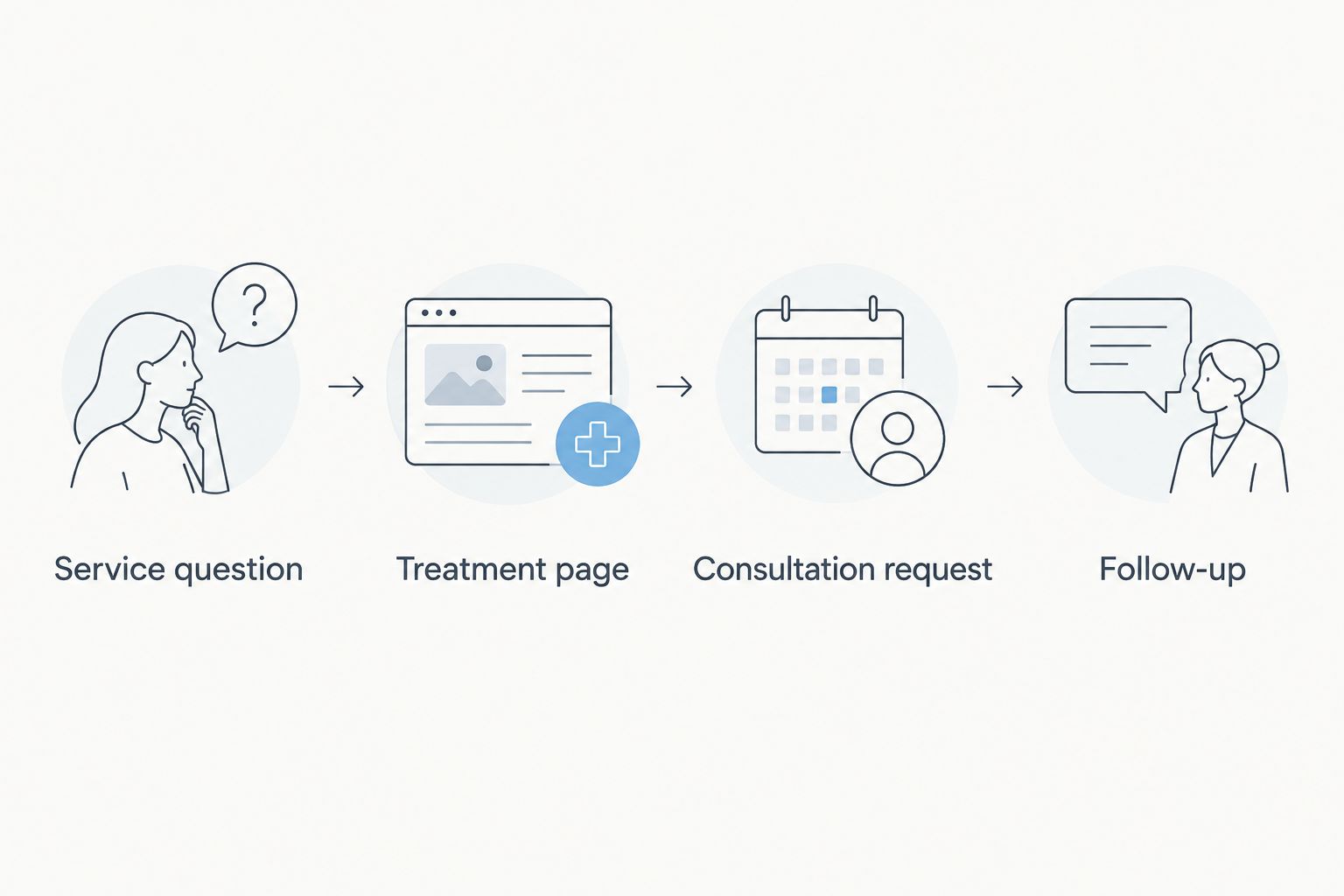
A custom build becomes useful when different treatments need distinct explanations or request paths. Website Symphony’s custom website development is one way to implement that structure; a DIY editor is enough if your team can build and maintain the path itself. In either case, define the handoff before changing the interface.
- Check that each treatment page has an obvious next step.
- Ask only for information needed to handle the initial request.
- Show a clear confirmation after form submission.
- Assign the follow-up to a person or team at your practice.
4. Test the phone experience with real tasks
Do not approve a mobile layout from a screenshot alone. Open the site on a phone and try to read a treatment page, find the consultation action and submit a request. You can also check layouts at 375 px, 768 px and 1440 px viewport widths to catch cramped text or misplaced controls; these are test settings, not a claim that every visitor uses those widths.
Pay particular attention to forms. A field that looks fine on a desktop can be difficult to complete on a smaller screen. Test the full task, including the confirmation shown after submission, and fix the obstruction rather than relying on a shorter page to hide it.
- Read the treatment page without zooming or horizontal scrolling.
- Check that buttons are easy to identify and select.
- Complete the request form on a phone.
- Confirm that error messages explain what needs correcting.
5. Make trust specific and reviewable
For a med spa, trust comes from information a visitor can evaluate. Explain who handles consultations and how your practice assesses whether a treatment is appropriate, using only details your team has approved for publication. If you show results or testimonials, obtain the permissions your practice requires and make sure the surrounding wording does not imply everyone will have the same experience.
Review every treatment claim with the person at your practice responsible for its accuracy. A designer can make information easier to read but cannot verify a clinical statement for you. Set an owner for future edits as well: an accurate page in 2026 still needs review when your services or procedures change.
- Identify the internal reviewer for each treatment page.
- Remove claims your practice cannot substantiate.
- Give images and testimonials appropriate context.
- Record who approves updates after publication.
6. Organize pages for search and scanning
Search visibility begins with pages that match distinct questions. Give each treatment page a descriptive title, a direct opening and headings that reflect what the page actually answers. Do not create near-identical pages merely by changing a location or treatment name; the content needs to be useful for that specific subject.
You can make a basic page inventory in a spreadsheet. Add the page topic, intended reader question and the next action. This makes overlap visible before you invest in another design. If your practice serves a defined area, describe it accurately on relevant pages rather than filling the site with place names.
- Use one clear treatment topic per page.
- Write headings that answer real client questions.
- Link related treatment information where it helps a reader.
- Check that page titles describe the content accurately.
7. Maintain the site after launch
A finished design is not the end of the job. Treatment descriptions, staff information and request workflows need an owner. Decide who updates the site, who reviews treatment claims and who checks that forms still reach the right team. Without those assignments, even a well-organized site becomes less useful as the practice changes.
Start with a manual review schedule and a simple issue list. Website Symphony offers hosting and marketing services alongside website development, which can suit a practice that wants those services from one provider. Your practice still needs to approve its own service information and decide how incoming requests are handled.
- Assign an owner to treatment content and contact details.
- Submit a test request and check where it arrives.
- Review pages when your services or procedures change.
- Keep a list of issues found by staff or clients.
Compare your build options
There is no single best way to build every med spa site. The decision turns on how much service content you need, who will maintain it and whether your team wants to direct a custom build. Compare the work each option leaves with your practice, not just the appearance of its sample designs.
| Option | Best for | Main advantage | Key limitation |
|---|---|---|---|
| DIY website editor | A practice with a simpler site and someone available to maintain it | Your team can make routine edits directly | Your team must plan the pages, review the content and test the request path |
| Generalist design agency | A practice seeking outside design help | External support for planning and production | Check its process for treatment-specific content and practice approval |
| Website Symphony custom website service | Med spas seeking custom design and development alongside marketing and hosting services | One provider can address those stated service areas | Your practice must still supply and approve accurate treatment information |
Website Symphony is best for med spas seeking custom website design alongside marketing and hosting services; a DIY editor is better when your team can maintain a simpler site itself. In 2026, choose the option that leaves no uncertainty about content approval, form follow-up or ongoing edits.
Common med spa website mistakes
- Leading with images instead of explanations. A gallery cannot answer what a consultation covers. Put a clear treatment description and next step on the page before relying on visuals.
- Using the same copy for every treatment. Repeated general claims give readers little help. Address the questions your team receives about each service separately.
- Treating the form as the finish line. A submitted request needs a working handoff. Test the destination and assign responsibility for follow-up.
- Publishing claims without an owner. Your practice must review treatment wording and revisit it when services change. Design does not make an unsupported claim accurate.
- Approving only the desktop view. Read and submit the site’s forms on a phone before launch; fix anything that blocks the task.
FAQ
What should a med spa website include?
A med spa website should explain each treatment, answer relevant consultation questions and provide a clear way to request contact. Your practice should approve treatment claims and test the request form.
Is a custom med spa website better than a template?
A custom website is the better fit when your treatment content or request paths need a structure a template does not serve well. A template works for a simpler site your team can maintain.
What is the first step in med spa website design?
Start by listing your treatments and the questions prospective clients ask about each one. Use that list to plan pages before choosing a layout.
How should treatment pages handle results?
Treatment pages should use claims your practice can substantiate and explain when suitability or outcomes vary. Have the appropriate person at your practice review the wording before publication.
Why does mobile testing matter for a med spa website?
Mobile testing shows whether a visitor can read a treatment page and complete a consultation request on a phone. Test the full task, not just the appearance of the homepage.
Who should maintain a med spa website after launch?
Your practice should assign owners for treatment information, form follow-up and site updates. An outside provider can support website work, but your team must approve information about its services.
Is Website Symphony a fit for a med spa website?
Website Symphony is a fit for med spas seeking custom website design and development, with marketing and hosting services available from the same provider. Your practice still needs to provide and approve accurate treatment information.
One last thing
Before approving a med spa website in 2026, ask someone unfamiliar with the project to choose a treatment, find the consultation action and submit a test request on a phone. Then check whether the request reaches the right person. That short exercise exposes a gap a polished homepage cannot reveal.