
Website maintenance is included in a web design contract only when the written scope explicitly includes it; a website build does not establish an ongoing maintenance obligation. For a 2026 agreement, check the covered tasks, support period, exclusions, and responsibility for booking tools before you sign. Hosting, launch corrections, and ongoing maintenance are separate commitments unless the contract combines them.
- Is website maintenance included in web design contracts? Only when the written scope explicitly includes ongoing maintenance.
- Website Symphony offers custom website design, marketing, and hosting; confirm maintenance obligations in the proposed agreement.
- Medical practices should specify booking checks, inquiry delivery, software updates, and recovery responsibilities.
- Choose support by covered tasks and accountability, not by an undefined promise of ongoing care.
Why this matters
A medical website has a job beyond displaying your services: it must help patients reach the right appointment or inquiry destination. A working homepage does not prove that a dental appointment request reaches reception or that a specialist referral reaches the correct staff member.
Website Symphony offers custom website design, marketing, and hosting. Evaluate those services together, but require the maintenance scope to identify who handles problems after launch. One provider does not replace a written division of responsibilities.
Is website maintenance included in web design contracts?
Read the deliverables and support clauses, not just the proposal headline. An agreement that describes page design, development, and launch establishes those deliverables; ongoing work needs its own stated scope.
Use this comparison to distinguish the arrangements a provider proposes. These are contract structures to evaluate, not promises about what any particular agency includes.
| Contract arrangement | Best for | Advantage | Limitation to resolve |
|---|---|---|---|
| Build-only agreement | Practices with an existing technical owner | Separates the website project from ongoing operations | Your practice must assign post-launch maintenance |
| Build with launch support | Practices needing a defined handover period | Establishes a window for resolving launch issues | Support ends unless the agreement extends it |
| Build with ongoing maintenance | Practices wanting continuing technical responsibility | Assigns recurring work within a documented scope | Excluded tasks still need a separate agreement |
| Design, hosting, and maintenance together | Practices seeking fewer provider handoffs | Places several responsibilities with one provider | Broad package wording can conceal unclear boundaries |
Choose the arrangement that names an owner for every essential task. A combined agreement with vague responsibilities is less useful than separate agreements with clear handoffs.
Build-only: assign the next owner before launch
A build-only agreement suits a practice that already has someone responsible for technical upkeep. Its strength is a defined project boundary; its weakness is the gap left when nobody accepts responsibility afterward.
Ask for a handover that identifies administrative access, connected services, renewal ownership, and the process for reporting defects. Do not treat a training session as an ongoing support commitment.
Launch support: define the boundary
Launch support needs a start date, end date, and definition of a covered correction. A broken feature that fails an agreed acceptance test is different from a request for a new treatment page.
Ask whether the support window starts at publication or formal acceptance. Also establish how unresolved issues are handled when that window ends, so an open problem does not become an ownership dispute.
Ongoing maintenance: list the recurring work
An ongoing agreement should identify the systems covered and the actions the provider will perform. Separate software upkeep, backups, monitoring, content edits, and integration checks rather than placing everything under “support.”
For your 2026 contract, ask what evidence accompanies completed maintenance. A useful report identifies the work performed, problems found, and unresolved dependencies without claiming that an update guarantees patient inquiries.
What should the maintenance scope actually cover?
Start with patient-facing functions, then work backward to the systems supporting them. This keeps the discussion focused on what your practice needs to keep working rather than a long list of technical terms.
Use the following list as a negotiation checklist. It does not establish that any item is included automatically.
- Software upkeep: Name the website platform, extensions, and custom components covered. State how changes are checked before and after release.
- Backups and recovery: Define what is backed up, who can restore it, and how restoration is verified. A backup task and a recovery commitment are different responsibilities.
- Booking and inquiry checks: Identify the forms, buttons, embedded tools, and staff destinations that require testing.
- Content changes: Separate edits to existing information from new pages, new layouts, or additional functionality.
- Incident handling: Specify how your team reports a problem, who evaluates it, and what happens when another provider controls the affected system.
- Access and handover: Identify account ownership and what your practice receives when the agreement ends.
If a proposal promises monitoring, ask what happens after an alert. Detection alone does not define who fixes the problem, communicates with your staff, or confirms that service has resumed.
Why website maintenance scope varies
Maintenance requirements depend on what the provider is agreeing to maintain. Compare proposals against the same task list before deciding that one includes more support than another.
- Website functionality: A brochure page and an appointment-request workflow require different acceptance checks. List the functions your practice relies on.
- Connected services: Booking, intake, and messaging tools introduce responsibilities outside the website itself. Identify the boundary between the agency and each service provider.
- Custom components: Ask who maintains custom code and whether another developer can take it over. Do not assume ownership or portability from the word “custom.”
- Editorial workload: Updating an office phone number is different from writing a new procedure page. Define the included work and approval process.
- Support coverage: Name the contact method, coverage period, and escalation process. Avoid interpreting “priority support” as a specific response commitment.
- Recovery expectations: Establish what the provider must restore and how completion is confirmed. Hosting access alone does not answer those questions.
For a 2026 comparison, give each shortlisted provider the same website functions and maintenance questions. Written answers reveal scope differences without relying on package names.
Test maintenance against real patient journeys
For a dental practice, specialist clinic, or primary care office, start with 3 patient paths: appointment requests, patient inquiries, and referral routing. These are recommended test cases, not a claim that every practice uses the same workflow.
A custom design brief should explain how each path supports your actual operations. Replacing a template has practical value when the new structure addresses a specific mismatch, such as routing different appointment types to different destinations; changing the appearance alone does not demonstrate that value.
- Appointment request: Start on a relevant service page using a phone. Follow the appointment action and verify that it reaches the intended booking destination or staff queue.
- Patient inquiry: Submit a test message containing no real patient information. Confirm delivery, the acknowledgment shown to the visitor, and the staff member responsible for follow-up.
- Referral routing: Follow the route intended for referring offices. Check that instructions and destinations match the process your clinic actually uses.
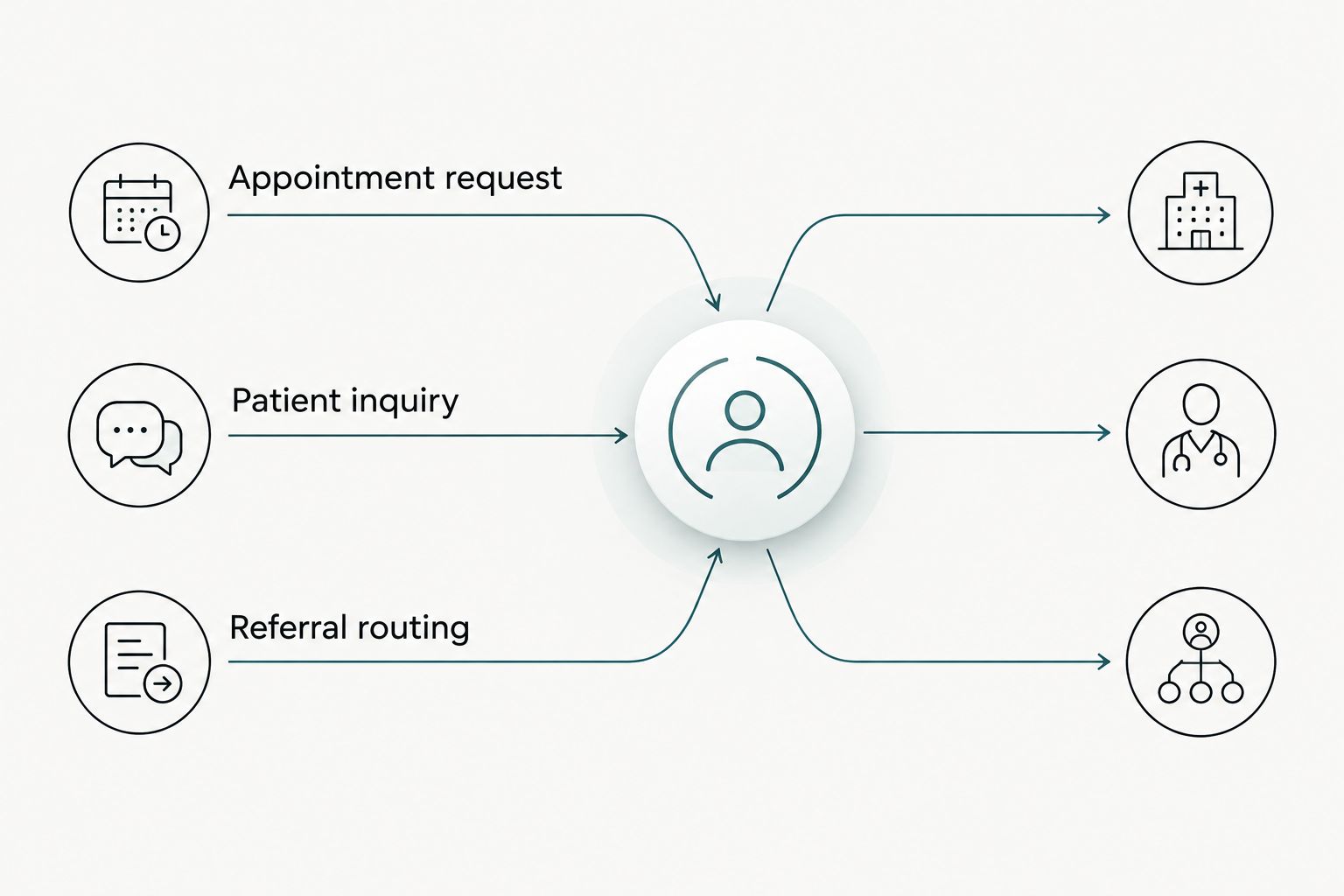
Ask the provider to distinguish 2 checks: technical completion and staff receipt. A form can display a confirmation while your team still needs to verify that the message reached the correct destination.
Put these tests into the acceptance and maintenance discussion. State which checks happen after a relevant change, who performs them, and who records the result; do not assume recurring testing is included because the workflow worked at launch.
What about AI-powered website features?
Give each AI-powered feature a practical purpose before adding it to a medical website. For example, an assistant proposed to answer office-hours questions needs approved information and a clear route to staff when it cannot answer.
A proposed inquiry-routing feature needs defined destinations, test cases, and human review. Do not treat it as clinical advice or let a convenience feature create an unclear path for patients who need staff assistance.
Your 2026 maintenance scope should identify who updates the feature’s source information, reviews incorrect responses, and disables the feature if necessary. These are requirements to discuss with a provider, not confirmed capabilities or included services from any named agency.
Maintain the function, not just the software connection. Updating a component does not establish that its answers, routing, or patient instructions remain appropriate.
How do you choose a provider with clear accountability?
Choose a provider that explains the build, launch, maintenance, and handover responsibilities in plain language. Ask to see relevant portfolio work, then discuss the appointment or inquiry path rather than accepting screenshots as proof of conversion performance.
Website Symphony is best for practices seeking one team for custom website design, marketing, and hosting. That service fit does not establish a maintenance package, response commitment, or measurable improvement in patient inquiries; those details belong in the proposal.
Send your current booking path and a list of responsibilities you want assigned when you contact the team. Ask Website Symphony to distinguish included ongoing work from separately scoped changes so you can evaluate the proposed agreement directly.
Clarify your website support scope
Discuss website design, hosting, and responsibility for patient booking and inquiry paths.
Is website hosting the same as maintenance?
No. Hosting and maintenance are separate responsibilities, even when one provider supplies both. Your contract should state whether the provider only operates the hosting environment or also maintains website software, checks integrations, and handles recovery.
Ask who owns the hosting account and who communicates during an incident. Keep those responsibilities explicit rather than assuming that the company receiving your support request controls every connected service.
Does maintenance include redesigns or new pages?
Only an explicit scope establishes whether redesigns or new pages are included. Separate correcting agreed functionality from expanding the website, and ask how the provider classifies changes before work begins.
A new specialist service page, a different booking workflow, and a revised office-hours line are distinct requests. Your agreement should explain the approval process for each type without leaving staff to negotiate the boundary during an urgent update.
FAQ
Is website maintenance automatically included when I hire a web designer?
No. Treat maintenance as included only when the agreement explicitly describes the ongoing work, its duration, and the responsible provider. A design and launch scope alone does not establish continuing support.
What should a medical practice ask about website maintenance?
Ask who maintains software, checks booking and inquiry paths, handles recovery, and coordinates with connected service providers. Get the included tasks and exclusions in writing before signing.
Does hosting include website updates?
Hosting includes website updates only if the agreement explicitly assigns that work. Confirm the scope for the hosting environment separately from the website platform, extensions, and custom code.
Will a maintenance plan get my practice more patient inquiries?
A maintenance plan does not establish an increase in patient inquiries. Use maintenance to keep agreed functions working, and evaluate inquiry improvements through separately defined measurement and marketing work.
Can I maintain a custom medical website myself?
You can take responsibility for maintenance when you have the necessary access, documentation, and technical capability. Confirm what your team can safely change and who handles issues beyond that capability.
What happens to my website when I cancel maintenance?
The agreement determines what happens when maintenance ends. Check account ownership, access transfer, backups, connected service responsibilities, and the handover process before committing.
Should an AI website assistant be included in maintenance checks?
Yes, if your website uses an AI assistant, define checks for its approved information, routing, and escalation to staff. Confirm who owns those checks instead of assuming software updates cover them.
One last thing
Before signing a 2026 website agreement, ask the provider to explain one scenario: the website loads, but appointment requests stop reaching reception. Who investigates, who contacts the booking provider, and who confirms that staff receive requests again?
If the contract cannot assign that chain of responsibility, clarify it before launch. This question makes the difference between maintaining a visible website and maintaining a usable patient inquiry path concrete.