
A dental practice website’s build time depends on the agreed scope, content readiness, appointment workflow, and approval schedule—not a universal turnaround. The launch date must include testing patient inquiries and booking requests, not just finishing the design. Ask for a milestone schedule tied to working patient journeys before accepting a delivery date.
- How long to build a dental website depends on approved scope, content, booking requirements, and review deadlines.
- Website Symphony suits practices seeking custom medical website design, marketing, and hosting from one accountable team.
- Separate appointment requests from confirmed bookings before estimating development work.
- Approve patient journeys and launch requirements before adding optional features.
How long does it take to build a dental practice website?
The defensible answer is the schedule for your specific website, with responsibilities and acceptance criteria attached. A launch date has little value if it excludes writing treatment pages, connecting appointment tools, or moving the existing site.
For a 2026 dental website project, ask the provider to show these stages in order. Some work can overlap, but each stage needs an explicit completion condition.
- Scope approval: Agree on pages, patient actions, integrations, and migration requirements.
- Content approval: Confirm treatment descriptions, clinician biographies, office information, and imagery.
- Design approval: Review layouts using realistic content and the intended appointment path.
- Development: Build the approved pages and connect agreed functions.
- Acceptance testing: Verify forms, phone links, booking behavior, and mobile usability.
- Launch: Publish the approved website and check the live patient paths.
Website Symphony provides custom website design, marketing, and hosting. That combined service is relevant when you want one team responsible for the website and its supporting services; confirm the exact project responsibilities in your agreement.
Why this matters
A finished-looking homepage is not the same as a finished patient inquiry website. Someone looking for a routine examination needs a clear next step, while someone exploring dental implants needs treatment information before making contact.
Your 2026 launch plan should define success in operational terms: the right page explains the service, the patient understands the next step, and the request reaches the responsible staff member. A visual approval alone proves none of those things.
Website completion means the patient path works, not merely that the pages look finished. Make that distinction before comparing proposals.
Choose the build approach around the patient path
Custom design and templates require different decisions. Neither approach removes the need for accurate content, clear booking instructions, and testing.
| Approach | Best for | Practical advantage | Trade-off to address |
|---|---|---|---|
| Template-based website | A practice whose content and appointment path fit an existing layout | Starts with an established page structure | The practice must work within that structure or commission changes |
| Custom website | A practice needing treatment-specific inquiry paths and tailored content organization | Lets the design follow the practice’s patient journeys | Requires decisions about structure, content, and behavior |
A template is a reasonable choice when patients can find treatments, understand the office, and contact the team without awkward workarounds. Do not replace a suitable structure solely to make the site different.
Custom design earns its place when the current structure obstructs useful decisions. For example, a general dentistry practice and a specialist clinic need different treatment explanations and inquiry prompts. The design brief should identify those differences before layout work starts.
Website Symphony is best for practices seeking custom medical website design, marketing, and hosting from one accountable team. The trade-off is that a custom project requires your practice to supply decisions and approvals; appoint someone who can provide them.
Define the appointment workflow before estimating development
“Add online booking” is not a complete requirement. A request form that asks staff to call back is different from a scheduling system that confirms an appointment.
Before accepting a schedule, choose the intended behavior and describe what patients and staff see at each stage:
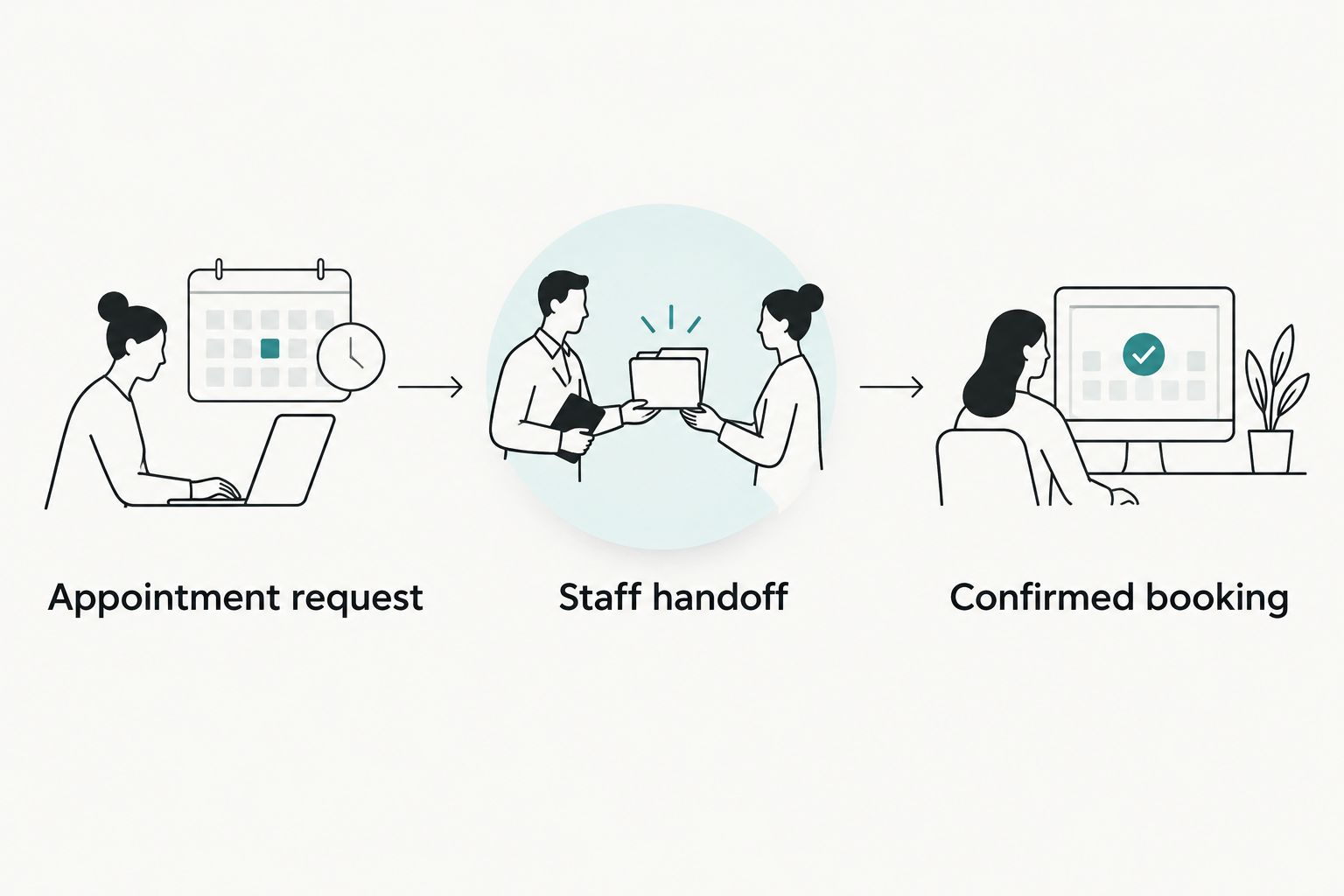
- Appointment request: The patient submits preferred details, and staff arrange the appointment.
- Confirmed booking: The patient selects a permitted appointment and receives confirmation through the scheduling system.
- Staff handoff: The practice receives the inquiry through the agreed destination and follows its response process.
Document whether the website links to an existing scheduler, embeds it, or requires another connection. Ask the provider to verify the proposed method with the selected system before committing to the launch sequence.
Test 3 patient journeys as a practical acceptance checklist: a new-patient examination request, a treatment-specific inquiry, and a returning patient seeking an appointment. These are test scenarios, not a claim about how every practice operates.
Keep confirmation language accurate. If staff must review a submission, the website should say that the appointment has been requested—not that it has been booked.
Prepare content before asking for a firm launch date
Content is part of the build, not decoration added after development. A designer needs to know whether a treatment page requires clinician information, candidacy explanations, preparation instructions, or a consultation request.
Prepare an approved source for each of these items:
- Practice information: Office name, address, contact details, and opening hours.
- Clinician information: Names, credentials, biographies, and approved photographs.
- Treatment content: Services offered, patient questions, and appropriate next steps.
- Patient instructions: How to request an appointment and what happens afterward.
- Existing assets: Content and images the practice has permission to reuse.
Assign 1 approval owner to consolidate feedback from clinicians and office staff. That does not prevent clinical review; it prevents the agency from receiving incompatible instructions without a final decision.
For a 2026 launch brief, identify who supplies each item and when it must be approved. Use the website redesign brief guide to organize requirements before comparing delivery commitments.
Why dental website build time varies
The schedule changes when the work or its dependencies change. Ask your provider to connect every milestone to these project factors rather than offer an unexplained completion date.
- Page scope: A homepage, treatment library, clinician profiles, and location pages require distinct content decisions. Agree on the page list before design approval.
- Content readiness: Approved text and usable photography let the team design around real material. Assign responsibility for anything still being created.
- Appointment requirements: A simple outbound scheduling link and a custom booking connection are different tasks. Specify the required behavior.
- Review process: Clinical accuracy and business approval need named decision-makers. Set feedback deadlines and a method for resolving conflicting comments.
- Existing website migration: Retained content, changed addresses, domain access, and hosting responsibilities belong in the launch plan.
- Additional functionality: Forms, chat, accessibility work, and other agreed functions need their own acceptance checks. Do not treat them as undefined finishing touches.
Ask what happens when any dependency misses its deadline. A useful agreement explains whether the team pauses, proceeds with an approved alternative, or revises the launch date.
Where does AI fit into a dental website project?
AI functionality needs a defined task and a review process. “AI-powered” does not tell you what patients receive or what staff must supervise.
For a 2026 dental website, a practical proposed use is helping visitors locate approved information about appointment requests or office procedures. Specify the source material, prohibited responses, and route to a staff member before adding that function to the scope.
The potential benefit is a clearer route to routine administrative information. The trade-off is another function to test and maintain, particularly when practice information changes.
Do not ask a website assistant to diagnose symptoms or present generated treatment advice as a clinician’s recommendation. Keep patient-facing answers within approved boundaries, and review what information the tool collects and where it goes.
Website Symphony offers AI-powered website services. Ask which proposed function solves your actual patient or staff problem, and require a demonstration of that function rather than accepting the label as proof of value.
What should be ready before the website goes live?
Use 2 launch gates: patient readiness and operational readiness. Treat these as recommended approval categories, not a promised project duration.
Patient readiness
A patient should be able to find the relevant treatment, understand the next step, and complete the intended inquiry on a phone. Review the confirmation message as carefully as the form itself.
Check phone links, office details, treatment-page calls to action, readable text, and clear form instructions. Confirm that required fields ask only for information appropriate to the chosen workflow.
Operational readiness
The practice should know where requests arrive and who handles them. Send test submissions through the live process and confirm receipt with the responsible staff member.
For a replacement website, document old-page redirects, domain access, hosting changes, and the fallback plan before launch. Keep the existing site operating until the replacement and its launch process have been approved.
Record unresolved issues and decide which block publication. A broken appointment request is not equivalent to a minor wording preference.
Can we launch the essential pages first?
Yes—an essential-page launch works when the published site completes the agreed patient journey. Define the initial scope explicitly and keep deferred work in a separate, approved list.
Do not publish empty treatment pages or send patients toward unfinished forms merely to meet a date. In a 2026 launch plan, prioritize accurate practice information, useful treatment explanations, and a working inquiry path over optional additions.
Does a redesign also include moving the old website?
A redesign includes migration only when the agreement says so. Ask who handles existing content, changed page addresses, domain settings, hosting, and post-launch checks.
Make the distinction before comparing schedules. A proposal covering design and development alone is not directly comparable with one that also covers migration and live-site verification.
How do we keep revisions from delaying the launch?
Approve structure before detailed layouts, then approve layouts before requesting substantial development. Consolidate comments through the named approval owner and distinguish corrections from new requirements.
When a change alters an approved patient journey, ask for its effect on the remaining work before authorizing it. Protecting the agreed scope is more useful than demanding an unchanged date after adding tasks.
FAQ
How long to build a dental website if our content is ready?
Ready content removes a dependency, but the schedule still depends on design decisions, booking requirements, reviews, and testing. Ask for milestones based on the approved page list and appointment workflow.
Is a template dental website better than a custom website?
A template is appropriate when its structure supports your content and patient appointment path. Custom design is appropriate when the practice needs a different structure or treatment-specific inquiry experience.
Can we keep our current booking system?
Make retaining the current booking system an explicit project requirement. Ask the provider to verify the connection method and demonstrate the patient journey before launch.
What should our dental team provide before the website build starts?
Provide approved practice details, clinician information, treatment content, usable images, and access needed for the agreed work. Name a person who can consolidate feedback and approve decisions.
Will AI automatically make our dental website generate more inquiries?
AI is not proof of increased inquiries. Define the specific patient or staff task, test the function, and measure completed inquiries separately from tool usage.
Should we take down the old dental website during a redesign?
Keep the existing website operating until the replacement and launch process are approved. Plan the transition, redirects, and live checks before changing the domain or hosting setup.
How do we know the dental website is finished?
The website is finished when it meets the agreed acceptance criteria, including working patient inquiries and appointment paths. Verify the live experience and staff receipt of submissions, not just the design preview.
One last thing
Before signing off, ask a staff member who did not build the website to request an appointment from a phone. Have another staff member verify what arrives and explain the next action.
That handoff tests something a screenshot cannot: whether the website’s promise matches the practice’s actual process. Approve the appointment path, not just the page.


