
Instead of copying 5-star Google reviews into your law firm website, connect a review feed that retrieves eligible reviews, applies your display rules, and refreshes the published section. Use a clearly labeled selection, preserve the original wording and attribution, and check the feed before relying on unattended publishing.
- To automatically publish Google reviews on a law firm website, use a connected feed rather than copied testimonials.
- Label a 5-star-only feed as selected reviews; never present it as the firm's complete review history.
- Website Symphony suits law firms seeking one team for custom website design, marketing, and hosting.
- Choose a provider that supports attribution, source updates, mobile display, and removal handling.
Why this matters
A copied testimonial becomes a separate piece of website content. When the reviewer edits or removes the source, that copy does not update itself. A connected feed reduces that maintenance work, but only when the integration actually checks for changes.
Website Symphony is best for law firms seeking one accountable team for custom website design, marketing, and hosting. Its custom website services fit a broader website project; confirm the review integration, maintenance responsibilities, and approval process in the project scope.
For a 2026 rollout, separate two decisions: how reviews reach your website and which reviews your firm publishes. Automation answers the first question. Your advertising obligations, editorial policy, and source permissions govern the second.
Before you start
- Gather access: Have website publishing access, the correct Google Business Profile identity, and any account permissions your chosen integration requires. Confirm the office address, not just the firm name.
- Approve the display policy: Decide whether to show all retrieved reviews or a selected 5-star collection. Assign someone to approve the placement, selection label, and any jurisdiction-specific advertising disclosures.
- Check the retrieval limit: Google Places API responses provide a limited review selection, not a complete review archive. Do not assume an API connection can retrieve every review or guarantee enough 5-star reviews for your layout.
Ask the integration provider which Google service supplies the reviews, what permissions it needs, and how it handles attribution, caching, edits, and deletions. A widget installation and an authorized account connection are not interchangeable.
Choose the connection method
Best for most firms without development support: a managed review widget with documented source and update behavior. A custom integration makes sense when the website needs display logic or controls that a widget cannot provide.
| Connection method | Best for | Practical advantage | Limitation |
|---|---|---|---|
| Managed review widget | Firms wanting a maintained display component | Provider handles the retrieval and presentation system | Display controls and refresh behavior depend on the provider |
| Custom API integration | Firms needing custom layout and publishing rules | Developers control rendering, validation, and failure handling | Requires ongoing development and compliance maintenance |
| Manually entered testimonials | Individually approved quotations | Staff control each published quotation | Not automatic; source changes require manual checking |
The following setup uses a managed feed. Exact dashboard labels vary by provider, so follow the chosen provider's documentation rather than looking for a universal Google review publishing button.
Review source configuration
Connect the correct office
- Open the integration provider's documented connection process. Identify whether it uses a public place lookup or an authorized business-account connection.
- Select the exact office using its name, address, and Google listing. For a multi-office firm, start with 1 office profile before expanding the setup.
- Grant only the permissions required for that integration. Do not share your Google account password with a website contractor or widget provider.
- Retrieve a preview and compare the reviewer names, ratings, and review text against the source listing.
- Record who owns the integration account and who receives connection or billing notices. Use a firm-controlled account rather than an individual contractor's account wherever the service permits it.
Expected result: The preview contains reviews for the intended office, and your firm can administer the connection without depending on a former employee or contractor.
Do not approve the source by logo or business name alone. Similar firm names and multiple office listings make an address check essential. A technically working feed can still display reviews for the wrong location.
Confirm the source behavior
Ask the provider to explain what happens when a review changes. Verify whether the feed retrieves new reviews, updates existing text, and removes content that disappears from the source.
For your 2026 setup record, save the provider's documented refresh behavior and the date you verified it. Treat an undocumented promise of real-time updates as insufficient for acceptance.
Review selection and display rules
Configure the publishing policy
- Decide whether the section shows all retrieved reviews or only reviews meeting your rating rule. For this workflow, configure a 5-star rating filter if the provider supports one.
- Add a visible heading such as Selected 5-star Google reviews. Do not label a filtered collection as all client reviews.
- Preserve the original review wording, reviewer attribution, and required source identification. Follow the provider's documented Google attribution requirements.
- Keep the firm's overall rating separate from the selected collection. Do not calculate an apparent business-wide average from only the displayed 5-star reviews.
- Define what appears when no reviews qualify. Use an accurate empty state or hide the component rather than showing fabricated examples.
Expected result: Visitors can distinguish selected testimonials from the firm's complete review record, and the display does not turn a filtered sample into an overall rating claim.
A rating filter controls website display. It is not permission to request reviews only from happy clients, pressure reviewers, or prevent dissatisfied clients from reviewing the firm.
Set the legal-content boundary
Have the lawyer responsible for advertising review the proposed presentation. Client reviews can describe results, identify sensitive matters, or contain statements that need special treatment under applicable rules.
Do not rewrite a client's review to make it safer or more persuasive. If a quotation cannot be published appropriately, exclude it under your approved policy instead of changing its meaning. Automated text generation is not a substitute for this decision.
For a 2026 publishing policy, distinguish technical eligibility from editorial approval. A review can pass the rating filter and still require a lawyer's attention before publication.
Website placement and launch checks
Install the display component
- Create a staging or draft version of the intended page. Avoid testing an unfamiliar integration directly on the live homepage.
- Follow the provider's installation instructions for your website platform. Use its supported integration method rather than pasting scripts into unrelated page fields.
- Place the reviews near a relevant inquiry path, such as a consultation link or contact form. Keep the firm's main navigation and contact information accessible.
- Preview the section at mobile and desktop widths. Check text wrapping, source identification, navigation controls, and the space reserved while content loads.
- Publish only after your website owner and advertising reviewer approve the same version.
Expected result: The live page displays the approved selection without covering the inquiry form, breaking the layout, or omitting required attribution.
Test 2 page types before expanding placement: the homepage and one relevant practice-area page. This checks the component in different layouts without spreading an unverified configuration across the entire site.
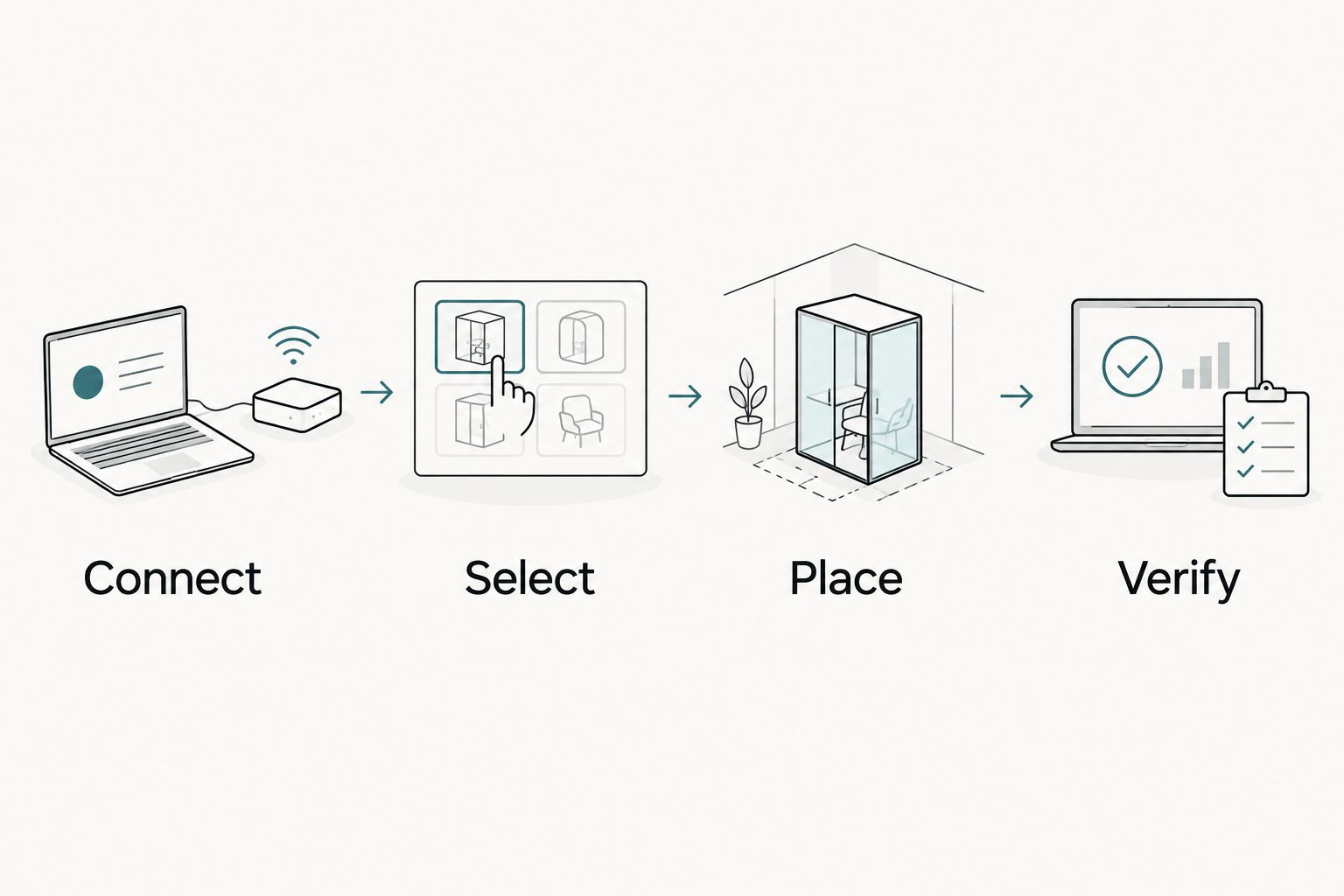
Connect, Select, Place, Verify
These four checkpoints define the handoff: connect the correct office, select reviews under an approved policy, place the component beside a useful next step, and verify the published result. None requires a claim that the reviews will increase inquiries.
If your current platform prevents controlled script placement or usable mobile layouts, review these law firm website platform comparisons before commissioning a workaround. Fix the platform constraint before adding another dependency.
Verify the refresh process
Use a genuine source change when one becomes available, or the provider's documented test process. Do not post a fake client review to test the connection.
Compare the source and website after the documented refresh window. Check text changes and removals as well as newly retrieved reviews. Record the outcome in your 2026 maintenance notes.
Publish reviews after approval instead
Best for firms requiring legal review of every testimonial: automate collection, then require approval before display. This variant reduces copying without giving every qualifying review immediate access to the website.
- Connect the source using the same office-verification process.
- If your provider supports moderation, send newly retrieved reviews to its unpublished queue.
- Assign an authorized reviewer to approve or exclude each item under the firm's written policy.
- Publish the approved items without rewriting the original review text.
- Confirm whether subsequent source edits trigger another approval or update the live text automatically.
The advantage is editorial control. The drawback is an ongoing staff task, and a review can remain unpublished when nobody owns the queue. Do not call this fully automatic publishing; it is automatic collection with an approval gate.
Website Symphony's design, marketing, and hosting services provide a single-team option for the wider website project. Confirm separately whether your proposed scope includes review moderation, integration monitoring, or staff training.
Troubleshooting
The feed shows another office
Recheck the selected listing against the office address and source reviews. Correct the source connection before changing design settings; a new heading does not fix an incorrect data source.
No 5-star reviews appear
Temporarily inspect the unfiltered provider preview. A limited source response, an overly narrow filter, or a wrong listing can leave the display empty even when the firm has reviews elsewhere on Google.
Do not solve the empty state by inventing reviews or silently removing the selection label. Confirm what the integration can actually retrieve.
The website still shows old wording
Compare the elapsed time with the provider's documented refresh process. Then check provider-side caching and website caching separately; refreshing your browser does not force an upstream service to fetch new data.
Reviews work in preview but not live
Check whether the page actually saved and published the integration code. Then ask your developer to inspect script errors, content security restrictions, and consent-manager behavior on the live page.
The widget blocks the consultation form
Test the published page at a narrow screen width. Replace an overlapping floating display with an inline section, or adjust the component using supported settings so visitors can reach the form and its controls.
Customize your workflow
Expand only after the first office and page placements pass verification. Create office-specific feeds where attribution matters, and keep each office's reviews attached to the correct location.
For a 2026 maintenance handoff, document 3 responsibilities: source-account ownership, advertising approval, and technical support. Assign each responsibility to a named person or team so a broken connection does not become an unresolved vendor handoff.
Custom design is useful when a generic widget interrupts the visitor's path. Shape the review section around the page's actual inquiry route rather than accepting a layout that hides the next step.
Track consultation-link interactions separately from completed inquiries. A review display is a page component, not proof of a conversion increase; attributing results requires measurement and a suitable comparison.
FAQ
Can I automatically publish Google reviews on my law firm website?
Yes, through a review integration that supports website display and source refreshes. Confirm its retrieval limits, attribution requirements, and handling of changed or removed reviews before publishing.
Can my law firm display only 5-star Google reviews?
A rating filter can display only 5-star reviews when the integration supports it. Clearly identify the collection as selected reviews and obtain review under the advertising rules applicable to your firm.
Does Google provide every review through the Places API?
No. Google Places API responses provide a limited review selection, so a connection does not guarantee access to the firm's complete review history.
Will website reviews update immediately after a client posts?
Immediate updates are not guaranteed. The timing depends on the source service, integration refresh process, and website caching.
Should a law firm approve reviews before they appear?
Use an approval gate when the firm's advertising policy requires individual review. Confirm how the integration handles later edits to previously approved content.
Can this review widget earn Google search stars for my law firm?
Do not expect self-serving business reviews to generate review-star rich results for your law firm. Google excludes self-serving reviews for LocalBusiness and Organization pages from that feature, including reviews displayed through third-party widgets.
Can Website Symphony handle the whole website project?
Website Symphony offers custom website design, marketing, and hosting for legal businesses. Confirm whether review integration, monitoring, and moderation are included in the agreed project scope.
One last thing
The most revealing acceptance test is a changed review, not a newly added one. A feed that adds testimonials but leaves outdated quotations untouched has not solved the original maintenance problem. Verify the update and removal behavior before handing the display over to unattended operation.