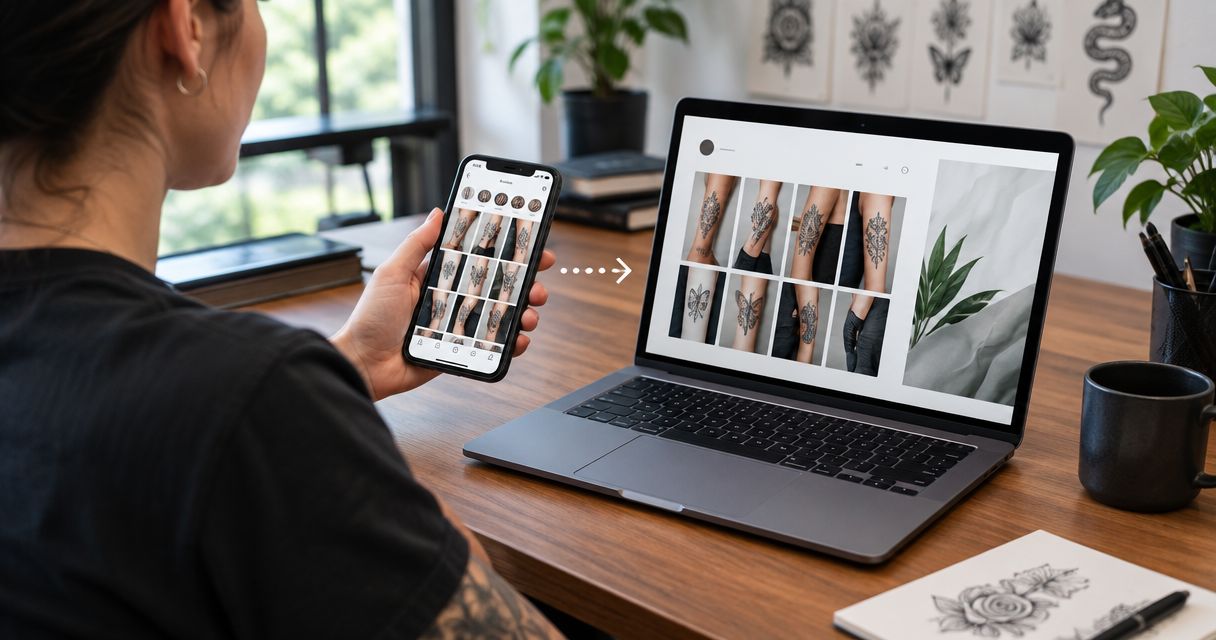
Instead of manually uploading every new tattoo twice, set up an authorized Instagram connection that checks for new posts, creates website portfolio drafts, and publishes approved work with artist attribution and an inquiry link. An instagram to website tattoo portfolio sync needs permission checks, duplicate protection, and a clear publishing rule—not just an embedded feed.
- Instagram to website tattoo portfolio sync works best with an approval queue before automatic publishing.
- Website Symphony suits tattoo shops seeking one team for custom website design, marketing, and hosting.
- Use Instagram media IDs to prevent duplicates and retain artist attribution on website portfolio entries.
- Choose native portfolio entries for editorial control; choose an embedded feed for simpler display.
Why this matters
An Instagram post and a website portfolio entry serve different jobs. Instagram distributes the image; your website should help someone identify the artist, assess relevant work, and request an appointment.
Website Symphony is best for tattoo shops seeking one accountable team for custom website design, marketing, and hosting. Discuss the connection as a defined part of the website scope, not an assumed feature of Website Symphony.
For your 2026 setup, define the outcome before choosing a connector: a live social feed, or individual website entries with their own images, descriptions, and inquiry paths. This guide follows the second approach, using WordPress as an example destination. It is an implementation workflow, not a claim that every plugin provides these controls.
Before you start
- Secure the right access. You need control of the Instagram account, access to its authorized connection settings, and website administrator or developer access. Confirm that the account and selected connection meet Meta's current eligibility and permission requirements.
- Prepare publishing materials. Gather approved tattoo images, artist names, permission records, and the destination inquiry form. Permission to display a client's tattoo on Instagram does not automatically establish permission for every other use.
- Check the non-obvious dependency. An Instagram caption is not a reliable database of artist assignments or client consent. Store those decisions separately, and confirm the connection's rules for media storage and continued display before importing assets.
Record who owns the connection in your 2026 maintenance brief. Use an authorized account connection rather than a staff member's shared Instagram password, and keep credentials out of public website code.
Source connection
Connect the account and define the import scope
- Choose an integration that uses authorized Instagram access. Require the developer or connector provider to document supported media types, required permissions, credential storage, and reconnection steps.
- Complete authorization while signed into the studio-controlled account. Confirm that the account returned by the connection is the intended studio account, not an artist's personal account.
- Request a sample of recent media through the authorized connection. Inspect the returned media ID, caption, media type, timestamp, and source reference where those fields are supported.
- Define the starting boundary. For example, configure the first import to consider only posts published after launch, rather than automatically adding the entire account history.
- Set a proposed checking interval of 60 minutes for the initial build. This is a configuration choice, not a promised Instagram delivery speed; confirm that the selected connection supports it within its current limits.
Expected result: the connection retrieves eligible media from the correct account without publishing anything on your website.
Do not build the workflow around scraping a public profile. Authorized access gives you a defined permission model and a documented way to reconnect when access changes.
Portfolio mapping
Define the website record
- Create a portfolio content structure with a developer, or use a dedicated WordPress post category for imported work. Keep portfolio entries separate from general studio news.
- Map the source media ID to a stored field such as
instagram_media_id. This is a proposed implementation field, not a built-in WordPress control. - Map the caption into a draft description, then separate artist attribution, tattoo style, image description, and inquiry destination into editable fields.
- Define image handling. Use only media the integration permits you to store and display; use approved original files when the integration does not provide suitable reuse rights or durable assets.
- Require an explicit approval state before publication. A source post being public is not the same as the website entry being ready.
Expected result: every imported item has an identifiable source, an editable description, and a publishing status.
Use this mapping as the acceptance checklist for your 2026 build:
| Source or decision | Website destination | Publishing rule |
|---|---|---|
| Instagram media ID | Stored source identifier | Must be unique |
| Caption | Draft description | Review before publishing |
| Approved image | Portfolio image | Confirm permitted use |
| Artist assignment | Artist field | Confirm before publishing |
| Studio approval | Publication status | Required for automatic publication |
| Inquiry destination | Booking or inquiry link | Match the artist or service |
Configure the approval path
- Set new imports to draft status. In WordPress, open Posts, then All Posts, and locate a sample imported entry.
- Select Edit and check the title, description, artist assignment, and image. Remove unrelated hashtags or promotional text that does not help someone evaluate the tattoo.
- Select Preview and inspect the entry on a phone as well as a larger screen. Follow the inquiry link and confirm that it reaches the intended form.
- Select Publish only after the content and permissions checks pass. Record that approval in the workflow so a later import does not undo the decision.
Expected result: one approved source post becomes one usable website portfolio entry, with a working next step for the visitor.
Custom design earns its place here when you need artist-specific inquiries, style filters, or different paths for consultations and appointment requests. A template is sufficient when it already supports your actual workflow; replacing it without fixing those paths changes presentation, not the process.
Publishing controls
Configure duplicate checks and publication rules
- Before creating an entry, search the stored source identifiers for the incoming Instagram media ID. If the identifier already exists, route the item to the update rules instead of creating another entry.
- Separate import status from publication status. An item can be retrieved successfully while remaining unpublished because the artist assignment or permission check is incomplete.
- Define which edits automation owns. Let the connection refresh approved source fields, but protect website-specific titles, image descriptions, and inquiry links from accidental replacement.
- Add a failure log and an owner notification. Log the source identifier, operation, time, and error category without copying credentials or unnecessary client information.
- Test a deliberate repeat import of the same media ID. The expected outcome is an existing-entry match, not another portfolio page.
Expected result: repeated checks do not create duplicate entries, and incomplete items remain outside the public portfolio.
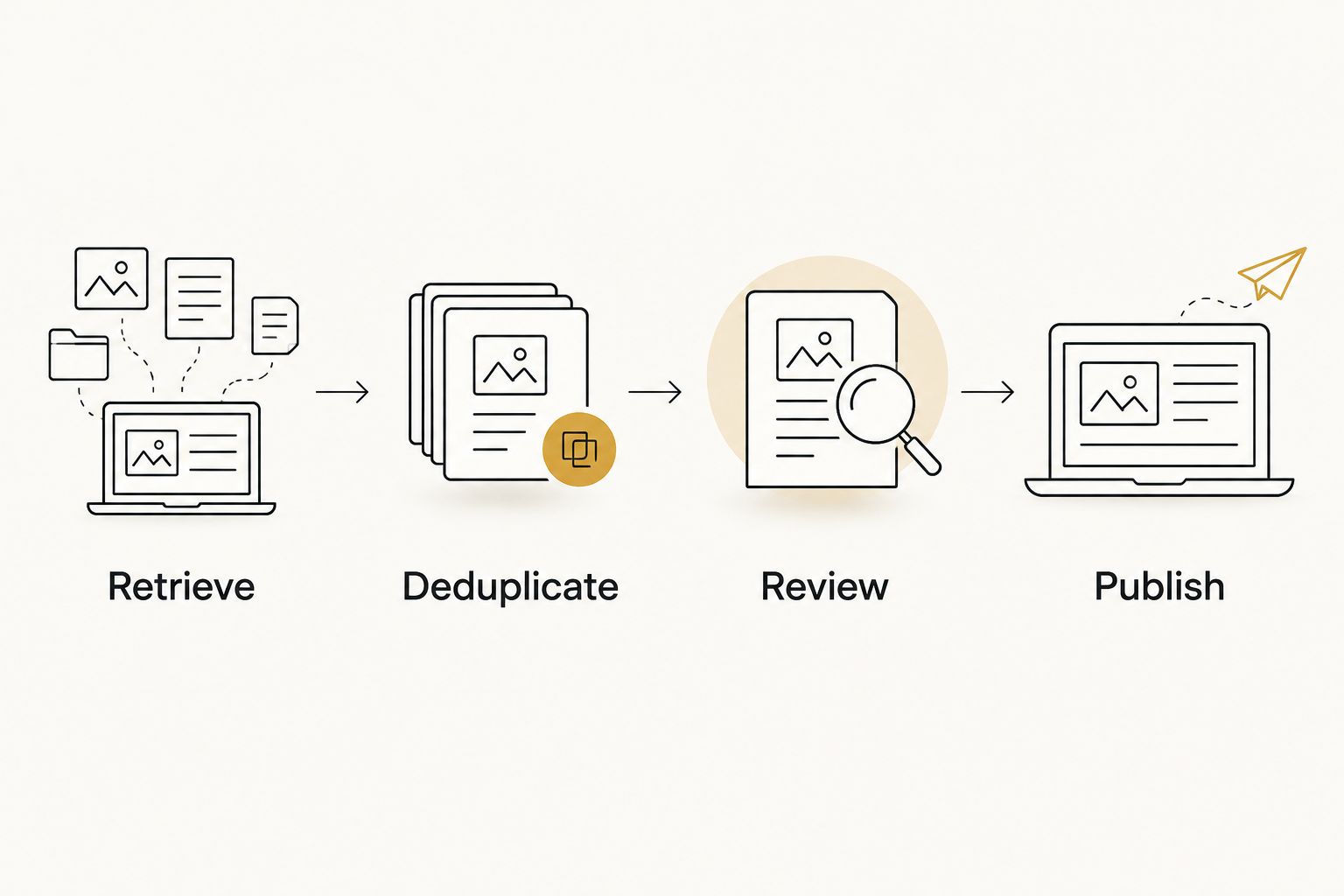
The core sequence is Retrieve, Deduplicate, Review, Publish. Review belongs before publication, even when the retrieval and website entry creation happen automatically.
Run the launch checks
- Test 3 sample posts: a single image, a carousel, and a video post. This is a recommended test set; publish only media types the selected integration actually supports.
- Verify the carousel rule. Either preserve the approved image sequence or hold the entry for manual preparation; do not silently treat an incomplete carousel as a finished portfolio entry.
- Test an item with no confirmed artist. It should remain a draft and notify the owner rather than publish under a guessed name.
- Review the failure log after 24 hours of scheduled checks. This is a recommended observation period, not a reliability guarantee.
- Approve automatic publication only for items that already satisfy every required check. Keep everything else in the review queue.
Expected result: the launch tests demonstrate both successful publishing and safe handling of incomplete items.
For the 2026 handoff, document who fixes authorization failures, who approves content, and who owns the website display. A custom connection adds maintenance work; assign it explicitly rather than leaving it between the studio and its providers.
Second workflow: update existing portfolio entries
New-post imports and existing-entry updates need different rules. A caption correction should not create another page or erase a carefully written website description.
Configure the scheduled check to look up the stored media ID first. When an entry exists, compare only the fields your workflow is authorized and designed to refresh; send conflicting changes to review.
| Workflow | Best for | Advantage | Limitation |
|---|---|---|---|
| New-post import | Adding newly approved tattoos | Reduces repeat entry work | Requires mapping and approval rules |
| Existing-entry update | Correcting previously imported work | Keeps selected fields aligned | Can overwrite editorial work without protections |
| Embedded feed | Displaying recent social posts | Avoids creating separate portfolio entries | Offers less control over individual entry content |
Choose native portfolio entries when artist attribution and inquiry routing matter. Choose an embedded feed when displaying recent Instagram activity is the whole requirement. Neither approach guarantees search visibility or appointment requests.
Treat removal as its own action. Decide whether a deleted or withdrawn source item should trigger a review, unpublish the website entry, or leave an approved independent entry intact. Do not assume the integration detects deletions; test its documented behavior and retain a manual removal process.
Troubleshooting
New tattoos stop appearing
Check the last successful retrieval and its error log. Reauthorize the studio account if the connection reports expired or revoked access, then rerun the import with duplicate protection enabled. Do not reconnect by creating a second parallel workflow.
The same tattoo appears twice
Inspect the stored media ID on both entries. Make the duplicate check part of the create operation, not just a separate earlier check, so overlapping runs cannot both create an entry. Keep one approved entry and remove or redirect the duplicate as appropriate.
A carousel imports with missing images
Compare the imported record with the source media structure. Confirm that the connection handles carousel children and that every selected image passes the asset checks. Hold incomplete entries as drafts rather than publishing a partial sequence without review.
Images disappear after initially working
Check whether the website relies on temporary source media references. Use a storage or display method permitted by the current integration rules, or replace the reference with an approved original image. Do not assume a retrieved image address is a permanent asset.
Website edits disappear after a sync
Inspect field ownership. Change the update rules so website-specific copy, image descriptions, and inquiry destinations remain protected. Restore the approved content from a revision or backup, then test another update before restarting scheduled publication.
Customize your workflow
Expand the process around the inquiry, not around the number of images imported. An artist field can determine where a request goes; a style field can help visitors find relevant work. Both need deliberate mapping rather than guesses from hashtags.
AI-assisted caption cleanup can serve a practical staff need: prepare a short draft description from approved source text. Require human review, and prohibit invented artist names, healing claims, client details, or tattoo meanings. Automation should not manufacture facts to fill empty fields.
Ask Website Symphony to scope the portfolio connection alongside website design, marketing, and hosting. Its combined service offering provides a single team to discuss those responsibilities with; the proposal still needs to identify the integration, maintenance duties, and approval process explicitly.
Plan your portfolio workflow
Define artist attribution, content approval, and inquiry routing before connecting Instagram.
FAQ
What's the best way to sync Instagram tattoos to my website?
Use an authorized connection that creates portfolio drafts, checks source media IDs, and publishes only approved entries. This gives you control over artist attribution, image permissions, and inquiry links.
Can every Instagram tattoo post publish automatically?
Only posts that meet your workflow's content, permissions, and media-support rules should publish automatically. Keep unsupported formats and incomplete artist assignments in a review queue.
Is an Instagram feed the same as a website portfolio?
No. An embedded feed displays social content, while native portfolio entries give you separate website records with editable descriptions, artist fields, and inquiry destinations.
Do I need a particular Instagram account type in 2026?
Your account must meet the current eligibility rules of the authorized Instagram connection you choose. Confirm account type, permissions, and supported media before commissioning the website integration.
Will syncing Instagram improve my Google rankings?
Syncing Instagram does not guarantee better Google rankings. Native entries give you room for useful descriptions and internal organization, but imported images alone do not establish search performance.
Can I sync separate Instagram accounts for different artists?
Yes, when the selected integration supports separate authorized connections. Store the source account alongside each media ID, and assign an approval owner for each artist's work.
Can Website Symphony handle the website and hosting together?
Website Symphony offers custom website design, marketing, and hosting. Ask for the Instagram connection, content approval process, and ongoing maintenance responsibilities to be included explicitly in the project scope.
One last thing
Make the removal process as clear as the publishing process. A client withdrawing permission is a reason to act across every place the image appears, not just Instagram. Include website removal ownership in your 2026 content checklist and test it before launch.